Pesticide application records for landscape maintenance
Make routine applications easier to capture from the field, easier to review in the office, and easier to use later for customer questions, product-use review, reports, and labels.
Capture, review, and reuse application history
Keep field capture, office review, product-use totals, retained history, customer answers, and label access tied to one pesticide record set.
- Capture Applications While Fresh
- Reduce Paper Forms and Binders
- Review Product Use and Cost Context
- Answer Customer Service Questions
- Support State-Specific Reporting Where Applicable
- Create Searchable Application Records
Step 1: Capture applications while crews are on site
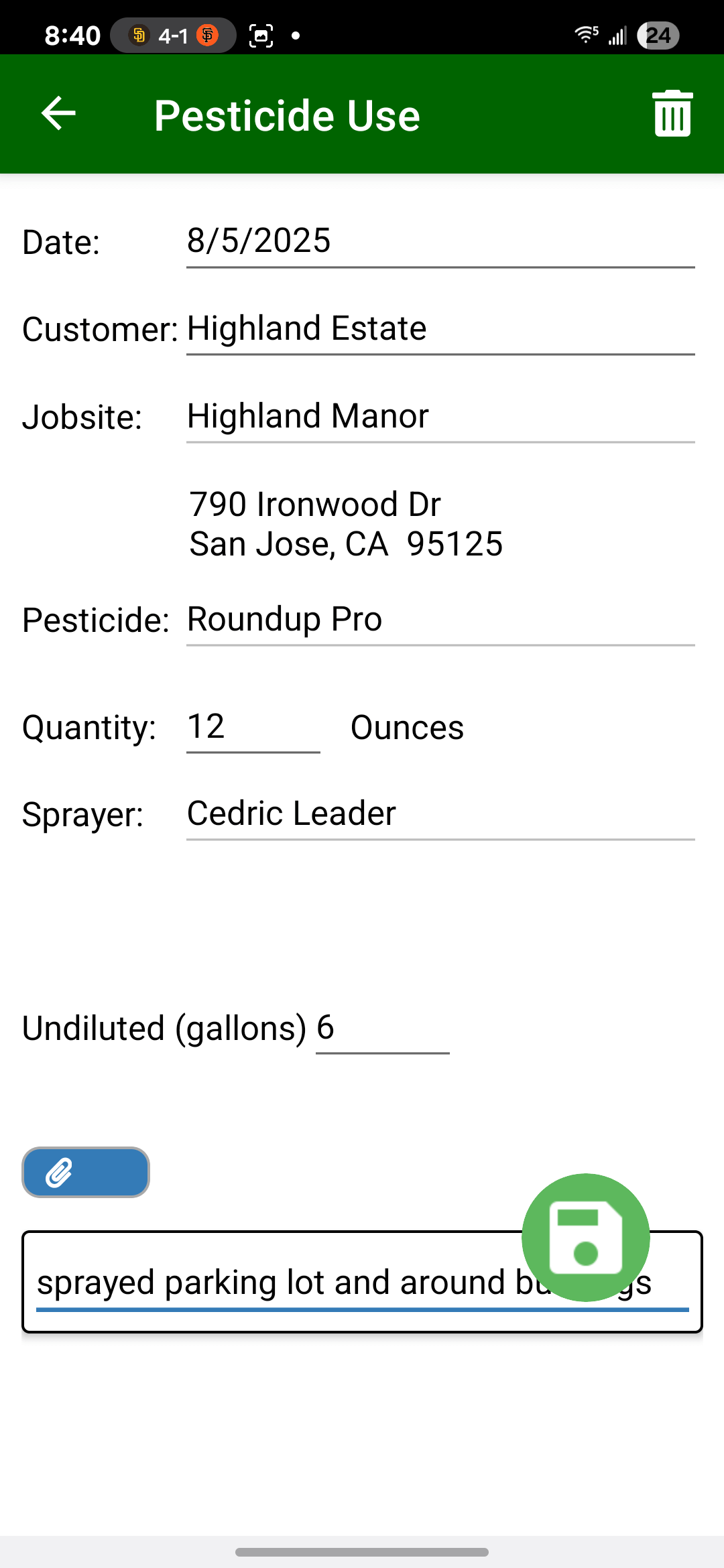
Field Assistant gives trained applicators and crew leaders a mobile place to review recent application history and add pesticide usage details from the jobsite without rebuilding the record later from memory, paper, calls, or texts.
- Fast Field Capture: Crews can capture pesticide uses with as few as 4 taps while application details are still fresh.
- Jobsite Application History: Crews can see recent applications by customer, jobsite, product, quantity, and date.
- Improve Entry Accuracy: Digital capture helps reduce illegible handwriting, missing information, and misplaced forms.
- Cloud Record Storage: Completed records are stored in Field Service Cloud so the office can review service activity, product use, reports, and customer questions when needed.
Step 2: Put labels and SDS in every crew's pocket
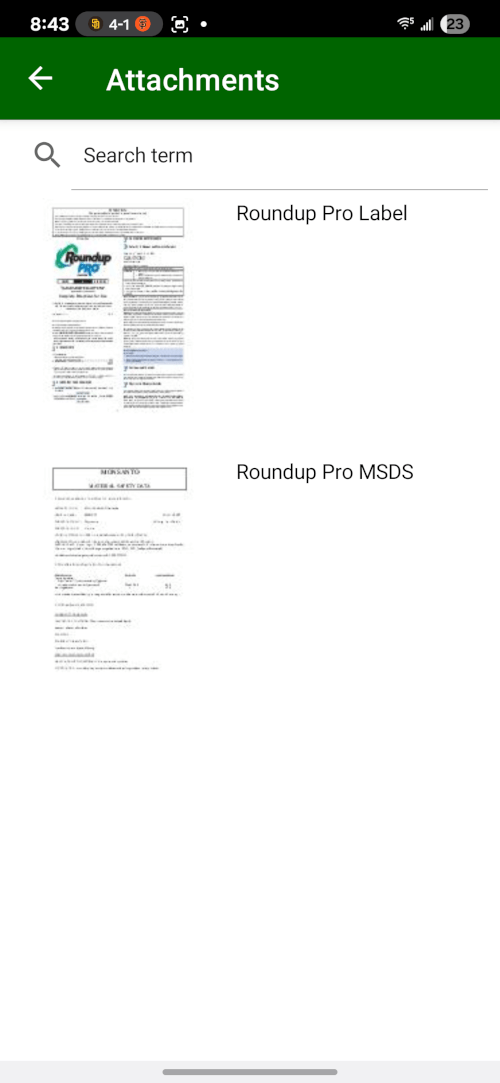
Crews should not have to rely only on bulky binders or office callbacks to find product information. Field Service Cloud gives crews mobile access to the label and SDS information they need when they are working.
- Instant Access to Labels & SDS: Upload your pesticide labels and Safety Data Sheets once, and they become available to all crews on the mobile app.
- Works Offline: Critical safety information is available even when crews are in remote areas with no cellular service.
- Keep Product Information Available: Give crews mobile access to approved product details where applicable.
Step 3: Turn application history into office review and reports
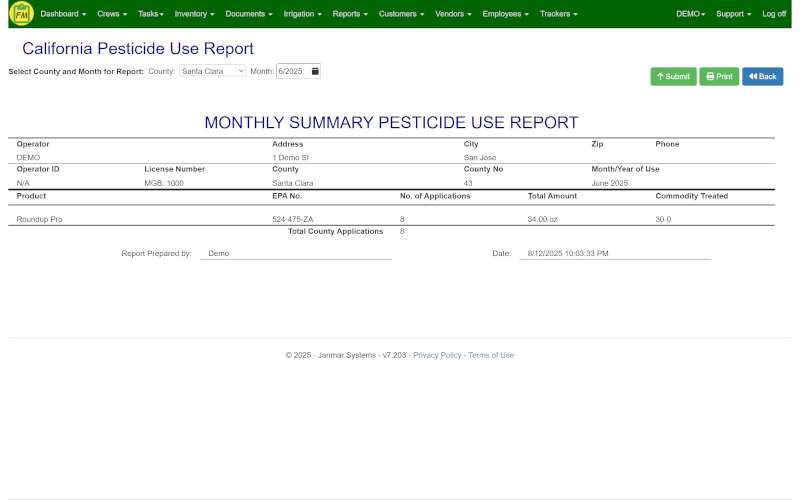
Field Service Cloud aggregates captured use records into report views so the office can review application history, respond to customer questions, understand product use, and prepare pesticide reports without rebuilding the record from paper. For California companies, reviewed records can also support MS-PUR / CalAgPermits submission where applicable.
- Application History: See what was applied, where, when, and by whom when customers or managers ask.
- Product-Use Review: Use captured application quantities as part of service-level and cost review.
- Report Generation: Reduce manual transcription by generating reports from captured pesticide use records.
- California MS-PUR / CalAgPermits Submission: For companies in California, Field Service Cloud supports Monthly Summary Pesticide Use Report submission through CalAgPermits where applicable.

Want to see pesticide records from field capture to office review?
Walk through quick application capture, label/SDS access, office review, product-use totals, reports, retained history, and California submission support where applicable.
Book a Live Walkthrough