
Are These Scheduling Challenges Holding You Back?
Manual scheduling is a daily battle that wastes fuel, frustrates crews, and leaves you guessing about where your teams actually are.
Disorganized Scheduling
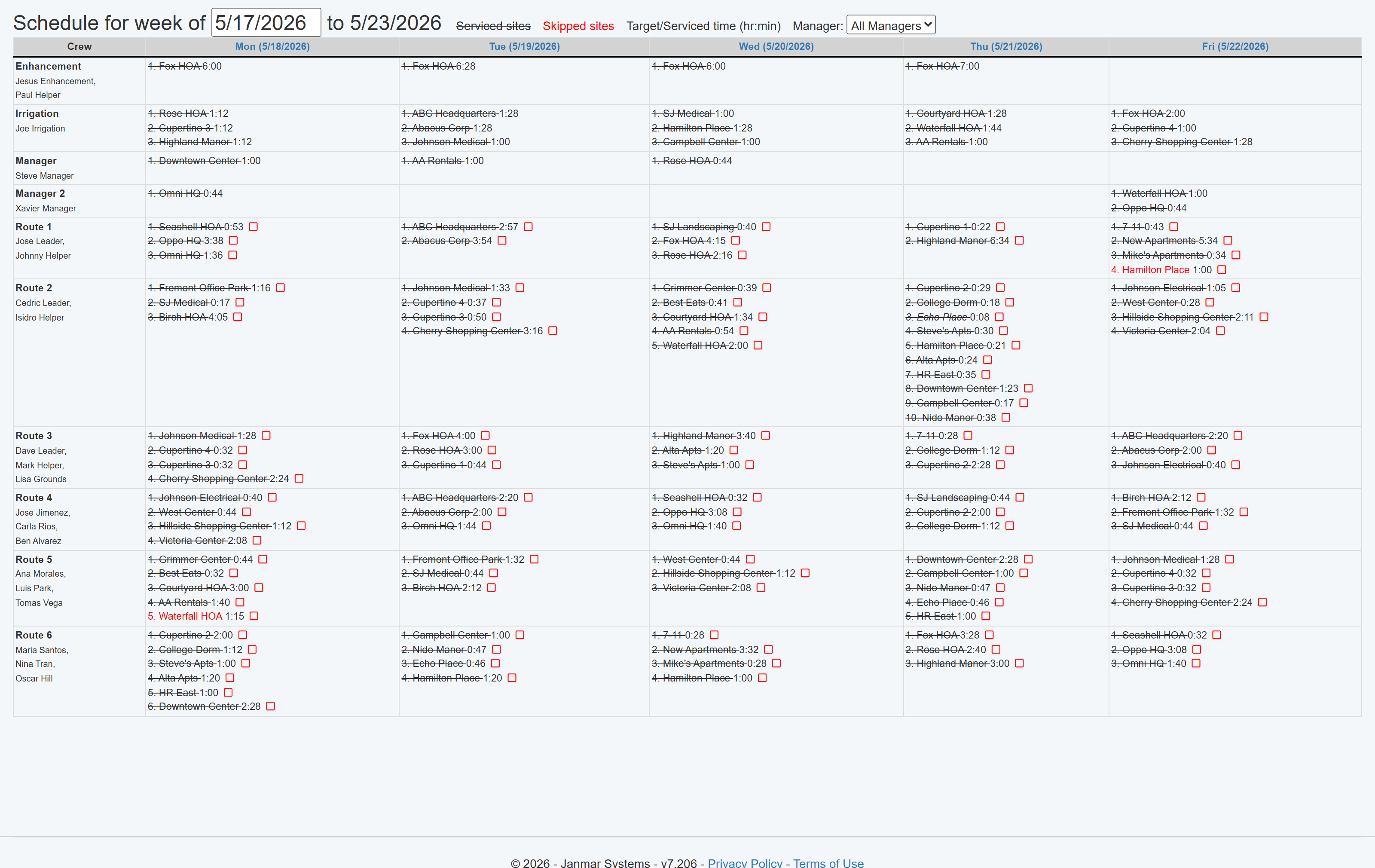
- Plan your entire day with confidence using a single, drag-and-drop toolkit that balances daily service times and tracks every customer request.
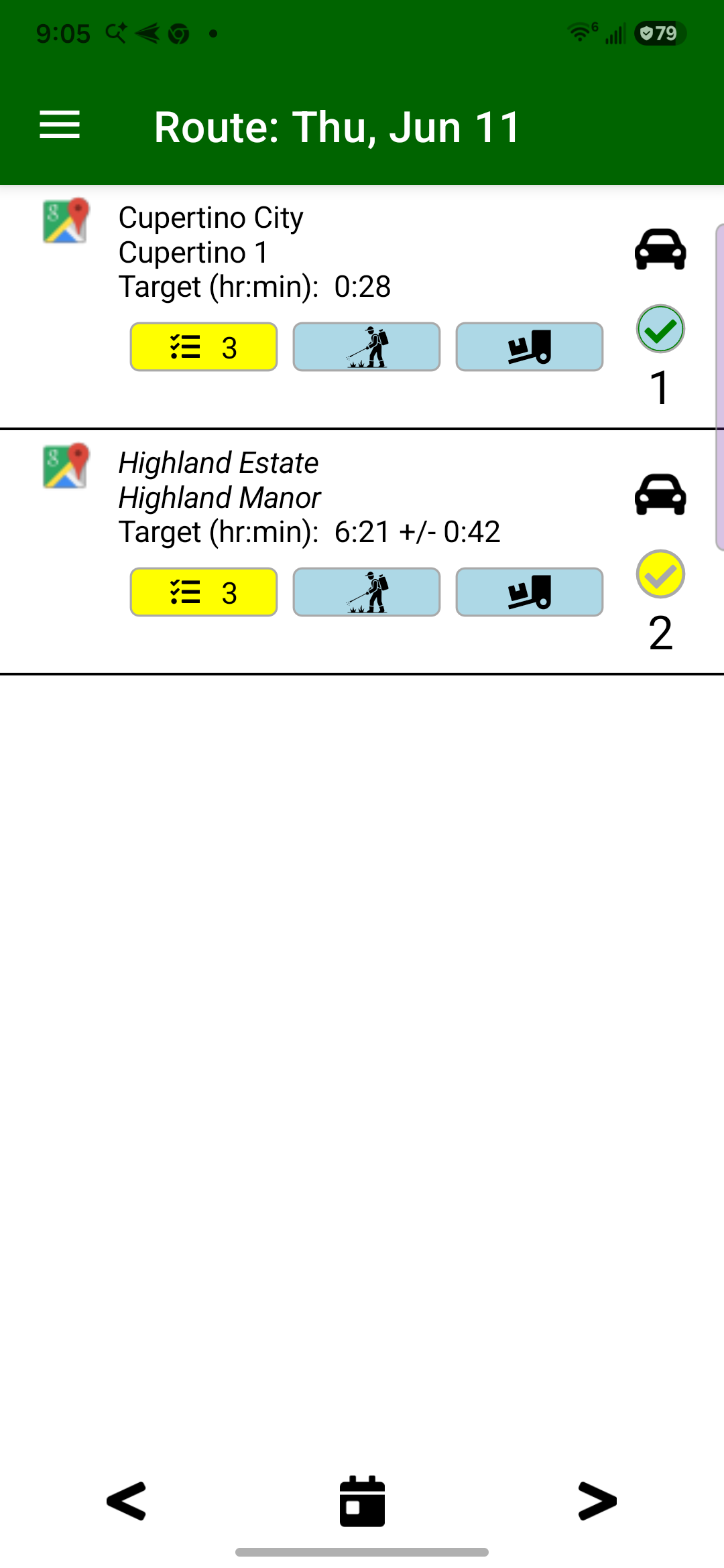
- Instantly sync schedules and last-minute changes directly to your crews' phones, eliminating paper route sheets for good.
Unknown Job Status
- Know with 100% confidence which jobs were serviced and which tasks were completed each and every day.
- Get automatic proof of work, from GPS-verified time on site to the real-time status of every task, from creation to invoicing.
Leaking Profits
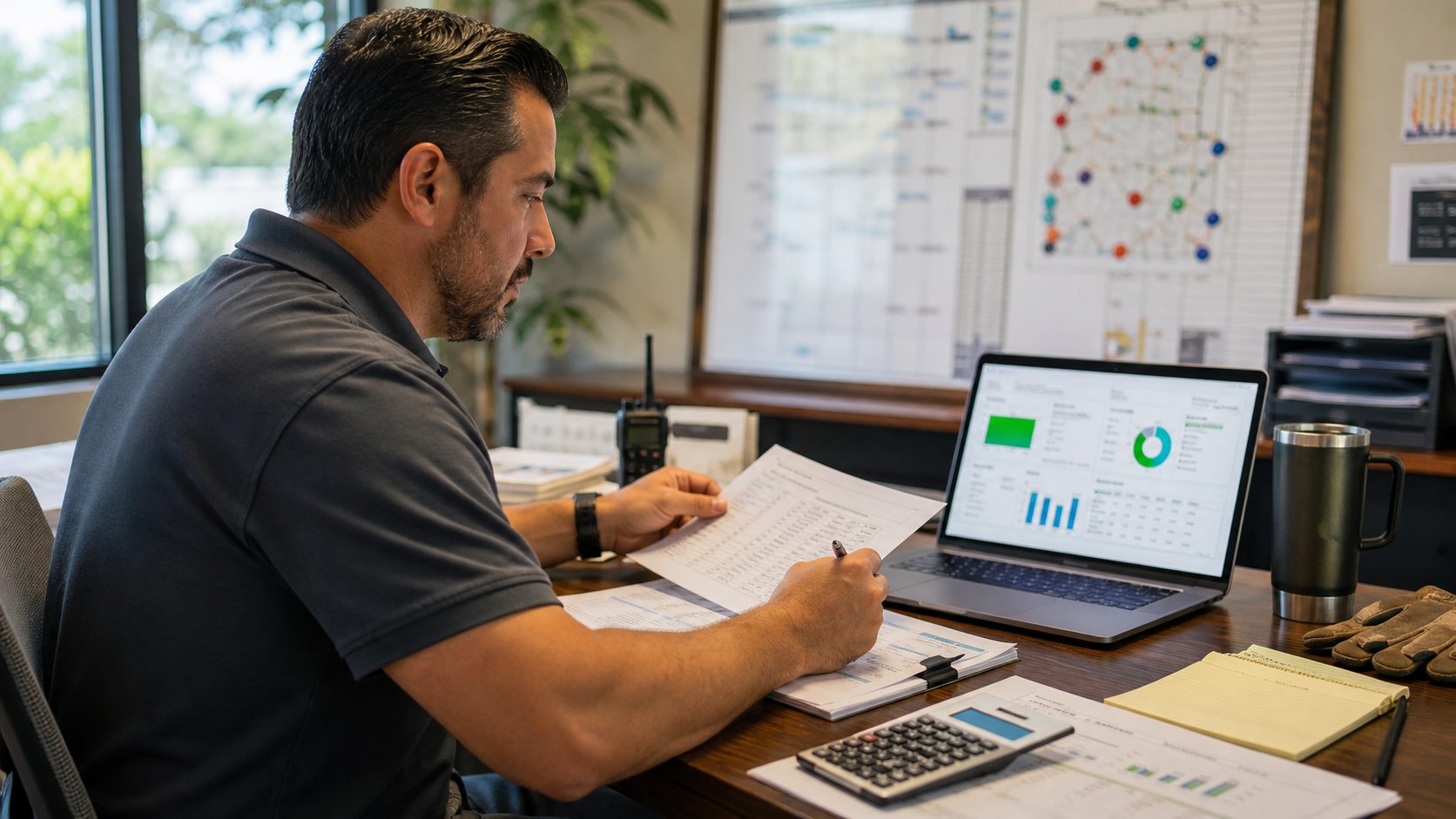
- Stop losing money on unprofitable jobs with automatic GPS time tracking that flags when actual service time exceeds your plan.
- Capture every billable dollar by tracking extra work, like irrigation repairs, and ensuring it makes it onto the final invoice.
The Field Service Cloud Difference
Our scheduling and tracking tools are designed for the unique demands of the landscape industry, helping you build a more efficient and profitable operation.
Maximize Route Profitability
Use our intelligent toolkit to build dense, efficient routes that minimize drive time and ensure every crew's day is fully booked and profitable.
Guarantee Service Quality
Get a real-time feedback loop from the field. Know with certainty what was done, when it was done, and if there are any issues, ensuring the best service for your customers.
Eliminate Administrative Waste
Automate your most time-consuming tasks, from timesheet collection to service verification, freeing up your office staff to focus on high-value activities.
Complete Control, From the Office to the Field
Our integrated platform connects your managers and crews, ensuring everyone is on the same page, all the time.
Build the Perfect Workday, Every Day
Field Service Cloud gives your managers a single, intelligent toolkit to transform chaotic scheduling into a predictable, profitable process.
- Eliminate scheduling guesswork by using a visual, drag-and-drop calendar that balances daily service times to prevent over or under-booking your crews.
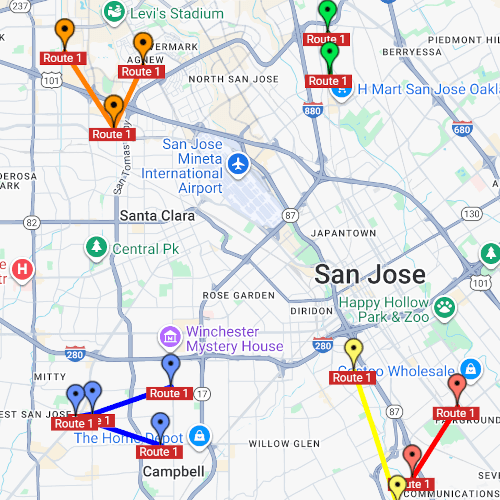
- Build smarter, more profitable routes that automatically account for every specific customer request, like "Mondays before noon" or "call before arrival."
- Guarantee nothing gets missed by attaching work orders and on-site tasks directly to a scheduled job, ensuring crews get all the information they need to get it right the first time.
Give Your Crews Clarity and Confidence
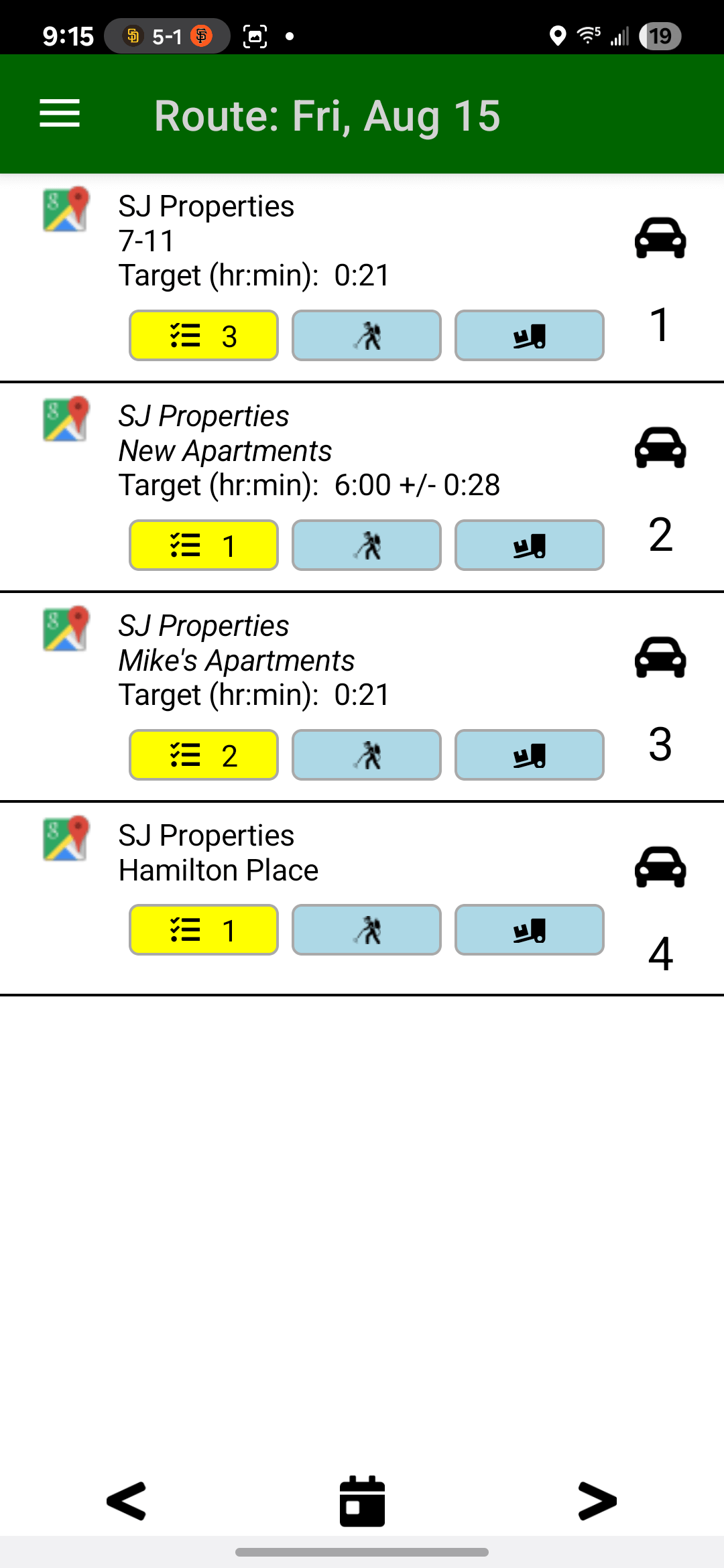
The Field Assistant app replaces ambiguity with a clear daily plan and gives your crews the tools they need to prove their great work instantly.
- Put the complete, live work plan in their pocket, combining the daily route with any extra tasks for each jobsite, eliminating paper for good.
- Provide automatic proof of service with background GPS tracking that verifies exactly how long they were at each property, without any manual work.
- Close the loop with the office in real-time by updating task status, adding notes, and attaching photos to provide instant, visual proof of work.
Trusted by Professionals Who Value Efficiency and Control
"I can't believe how much more organized our crews and managers are... now we find it much easier and efficient in tracking our crews and we love the ability to add tasks. We love the geofence task reminders and timesheet reports... This is a great program!"
"Before Field Service Cloud, scheduling irrigation inspections meant handing out stacks of paper... Now tasks are created automatically, the schedule is live on our techs' phones, they log the parts they use right in the app, and the office sends it to QuickBooks. No guesswork, no chasing paper. This has really helped with our workflow and the ability to increase production."
"Field Service Cloud changed the way we manage weekly maintenance. Daily routes are on our crews' phones, time on site is tracked automatically with GPS, and crews log homeowner requests or repairs right in the app. I see everything in real time. It's a huge timesaver."