GPS tracking that shows service proof and route exceptions
See where maintenance crews worked, how long they were on site, and which stops need follow-up or route review.
Turn crew movement into usable office evidence
Automated GPS tracking helps the office answer service, route, and jobsite-time questions without making crews keep a second paper log.
- Record Jobsite Time Automatically
- Compare Planned and Actual Stops
- Review the Recorded Route
- Locate Crews During the Workday
- Find Planned Stops That Need Checking
- Check Visit History Before Replying
See where crews are during the workday
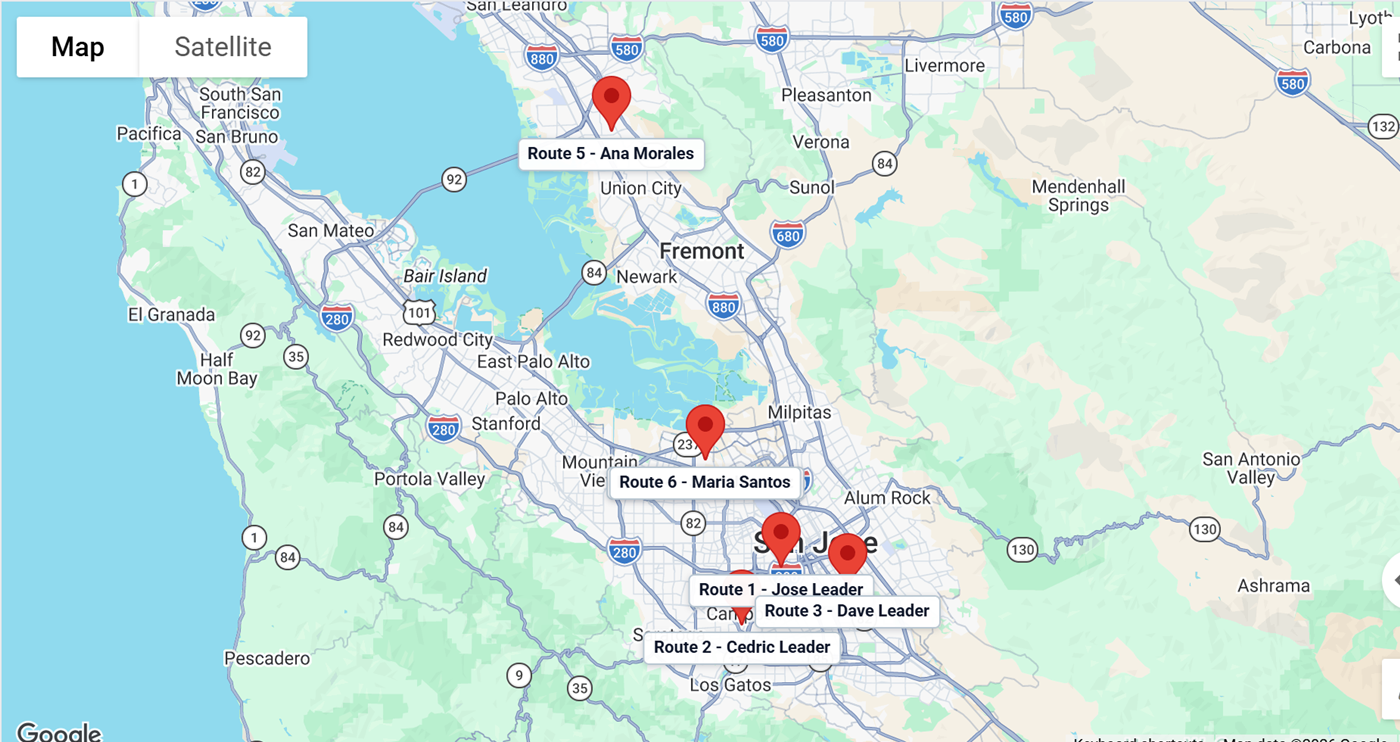
Field Assistant records GPS activity during work hours, giving managers a current view of crew locations and jobsite activity.
- Reduce Manual Work: Crews can focus on landscape service instead of paper logs, while managers get cleaner jobsite activity data.
- Keep Tracking Transparent: Tracking is active only during work hours, with clear indicators for your team and a more transparent review process.
- Respond Faster to Urgent Needs: See nearby crews during the workday so managers can make better dispatch decisions.

Turn GPS data into service and route evidence
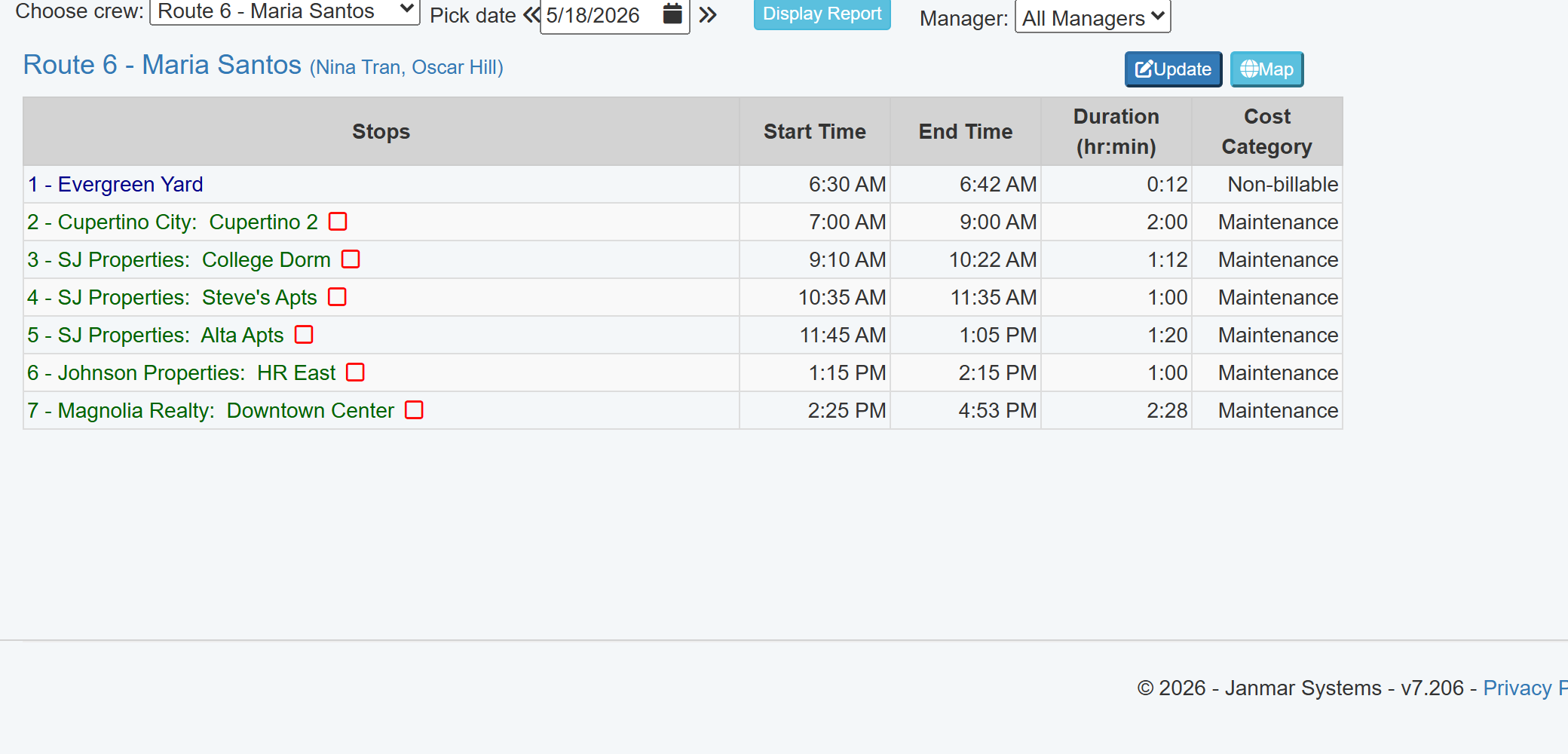
GPS activity gives managers service history, jobsite time, and route exceptions without asking crews to keep a second paper log.
Verify service & time on site
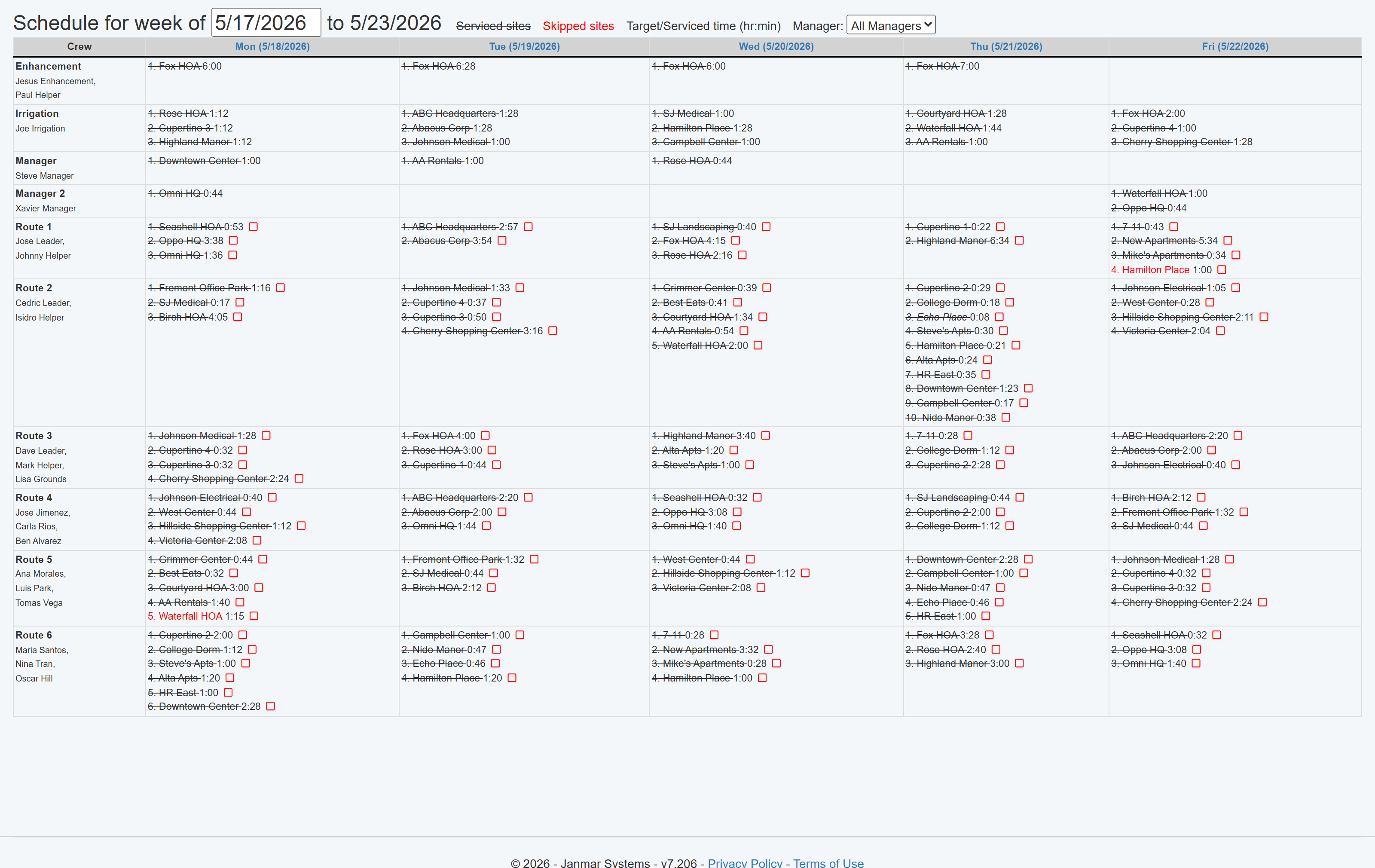
Review route compliance
- Create Service Proof: Use arrival and departure records to answer client questions with service history instead of crew recollection.
- Related Labor Review: Use GPS jobsite time as one input for route planning. For bid and margin decisions, see the GPS Labor Tracking & Bid Review Solution.
- Improve Crew Performance: Identify and reduce unauthorized stops, benchmark crew efficiency, and review route compliance.
Want to see GPS service records and route exceptions?
Review how GPS jobsite activity creates service proof for customer questions, route review, and exception follow-up.
Book a Live Walkthrough