Budget-vs-actual reports show where jobsite labor differs from the plan.
Know which maintenance jobs need pricing or scope review
Find the jobs where actual labor differs from the bid, then use GPS jobsite crew time, optional timesheet man-hours, and budget-vs-actual reports to guide the next pricing decision.
Use the walkthrough to map this service example to your current crews, records, and review process.

Owners and operations managers who need to protect maintenance margins.
Turn actual labor into better bids and margin decisions
Maintenance margin improves when owners can see which jobs differ from the labor plan before they bid the same work again. Field Service Cloud turns route activity, GPS history, timesheets when used, and estimated labor into evidence for pricing, scope, route, and renewal review.
GPS jobsite time can create job-cost visibility from normal route activity.
Timesheets add employee-level labor detail when crews enter timesheet hours.
How It Works
From estimated labor to margin evidence
Route activity becomes labor evidence. GPS shows crew time at jobsites, weekly schedules show route compliance and scheduled field work, timesheets add employee-level man-hours when used, and reports show which jobs beat the estimate or need attention.
1
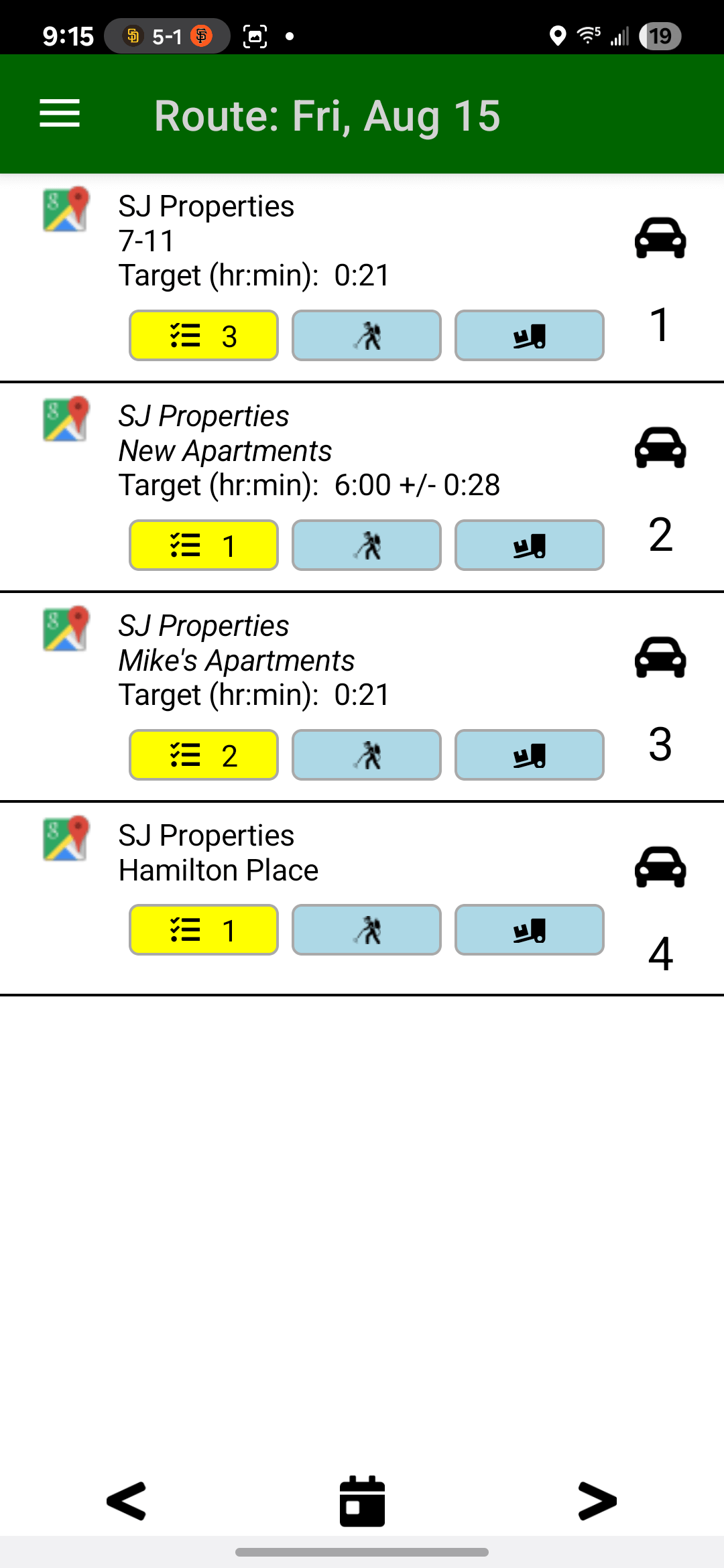
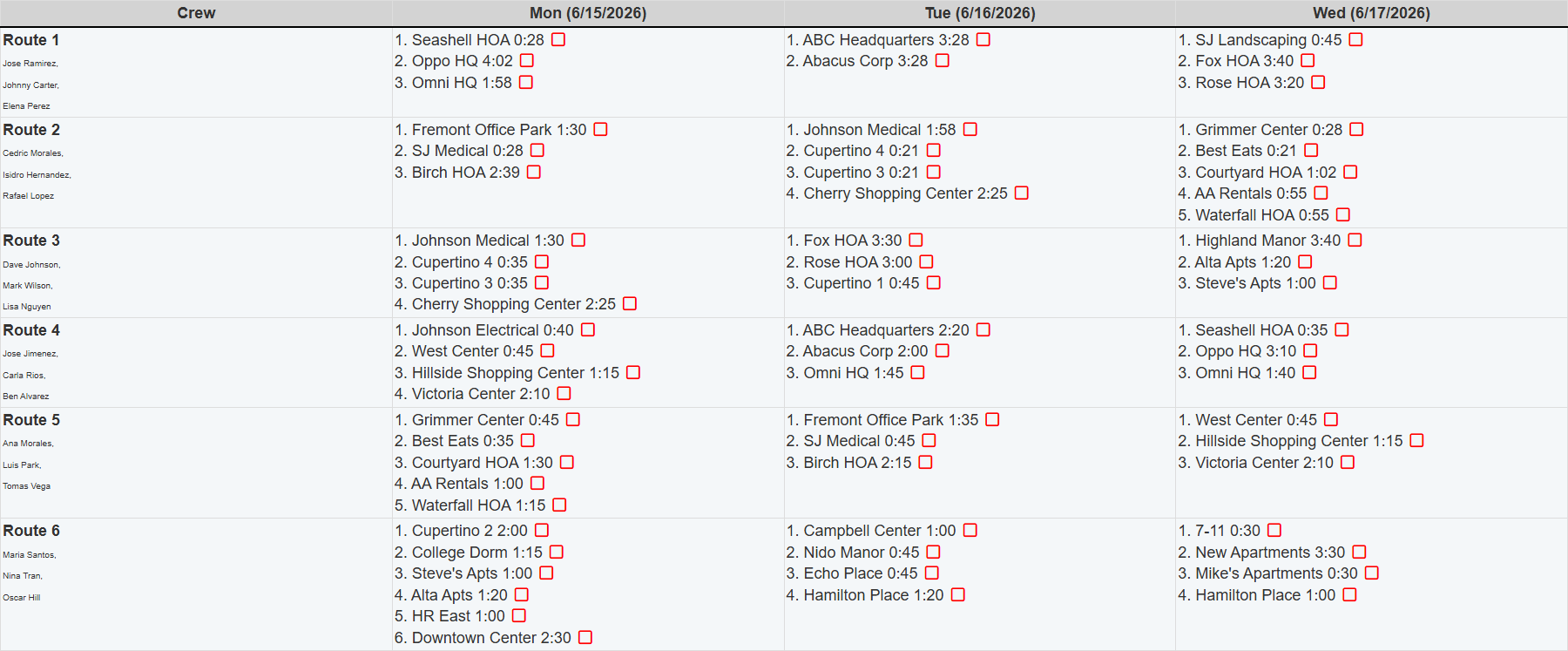
Start with planned service time
Route schedules show the service-time target behind the maintenance plan, giving managers a benchmark before actual jobsite time is reviewed.
Planned hours become the benchmark.
2
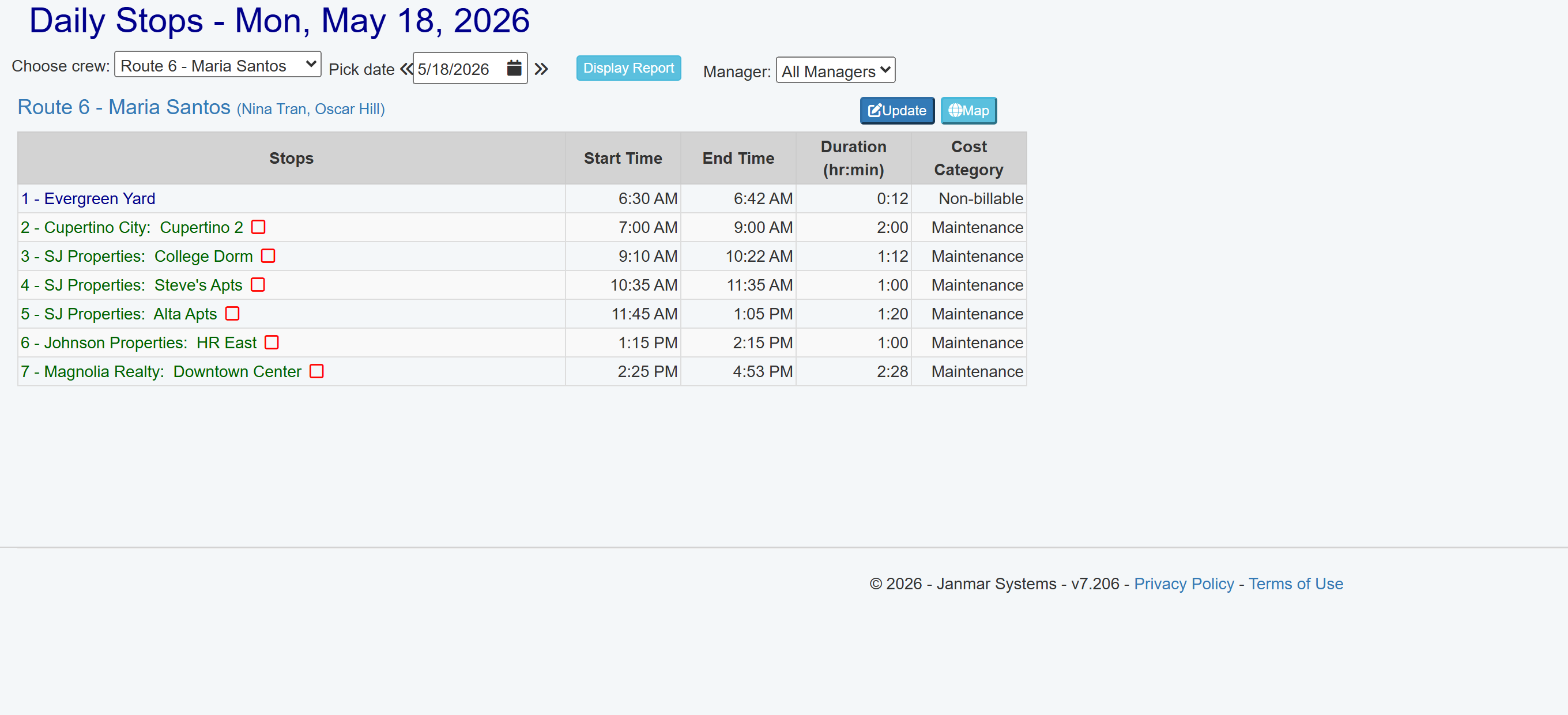
Field Assistant records GPS without extra crew steps
As crews work from the route in Field Assistant, GPS can record jobsite arrivals, departures, duration, and cost category without stop-by-stop clock-ins or another field form.
Normal route work creates jobsite time.
3
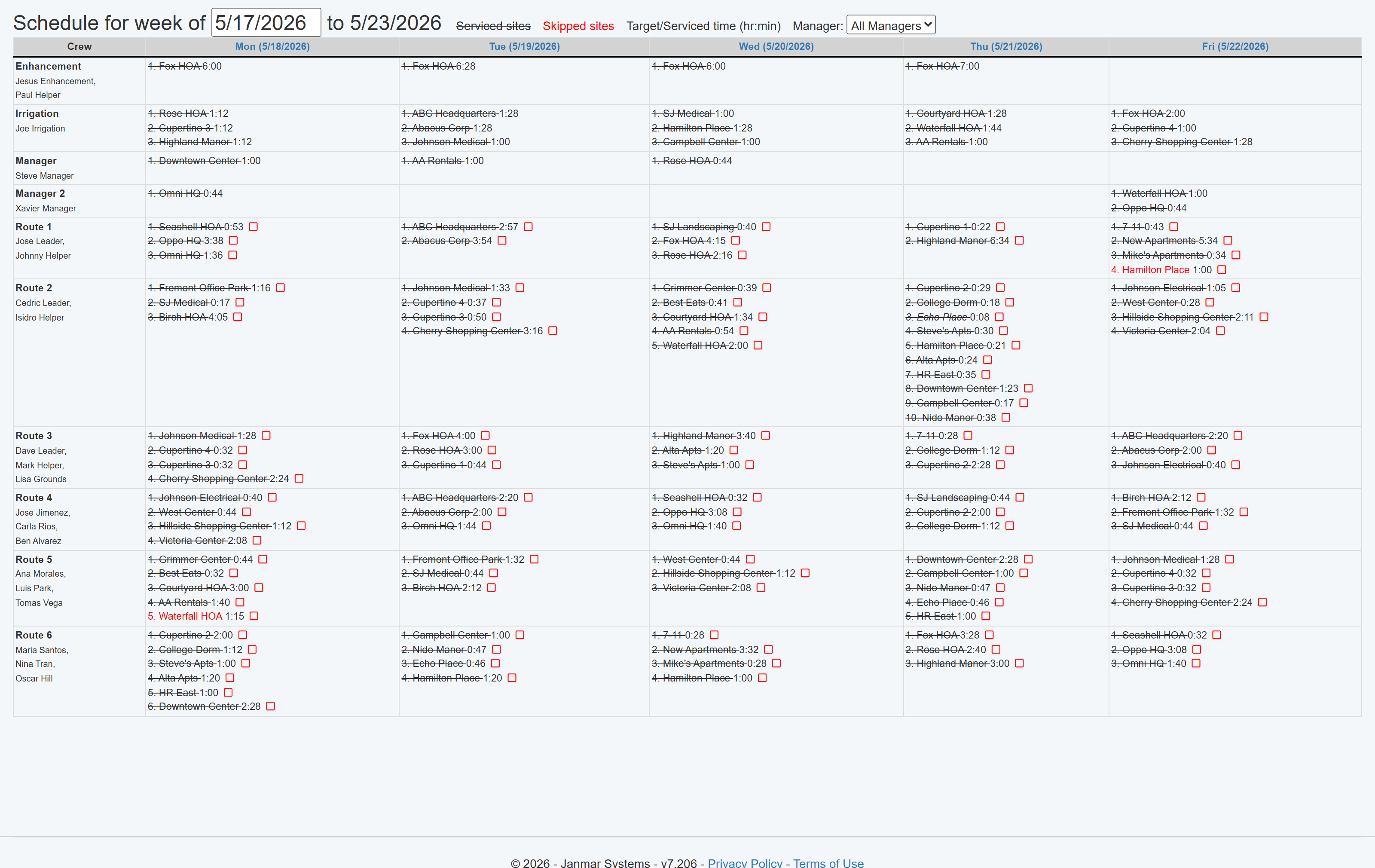
Review route compliance and crew-hours
Weekly schedules compare planned route stops and scheduled field work with GPS activity so managers can see serviced, skipped, or short-service visits before the week is forgotten.
Planned work becomes route compliance proof.
4
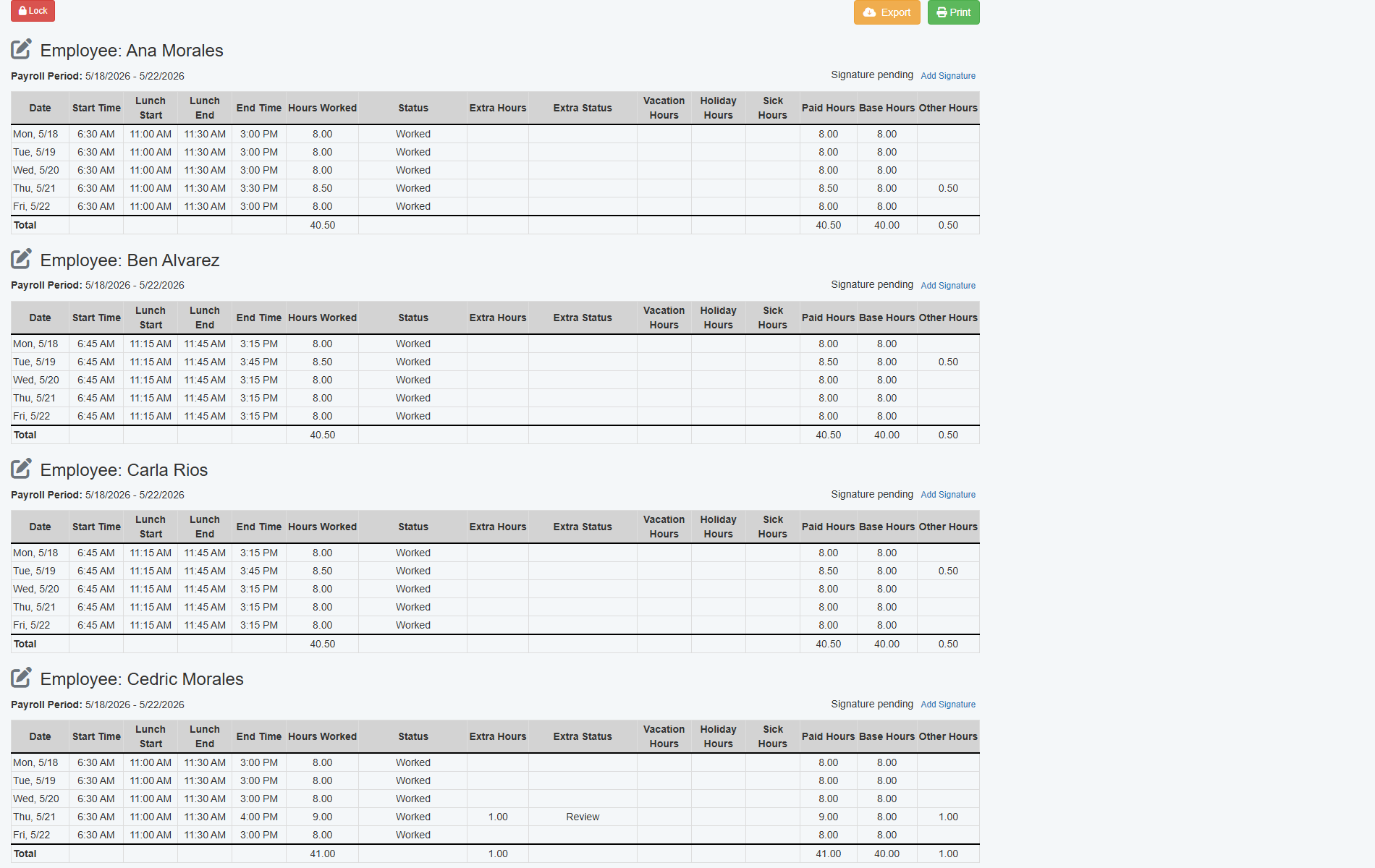
Timesheets add man-hours when available
When crews enter timesheets, the office can add employee-level man-hours to the jobsite labor picture.
Timesheets add employee-level detail.
5
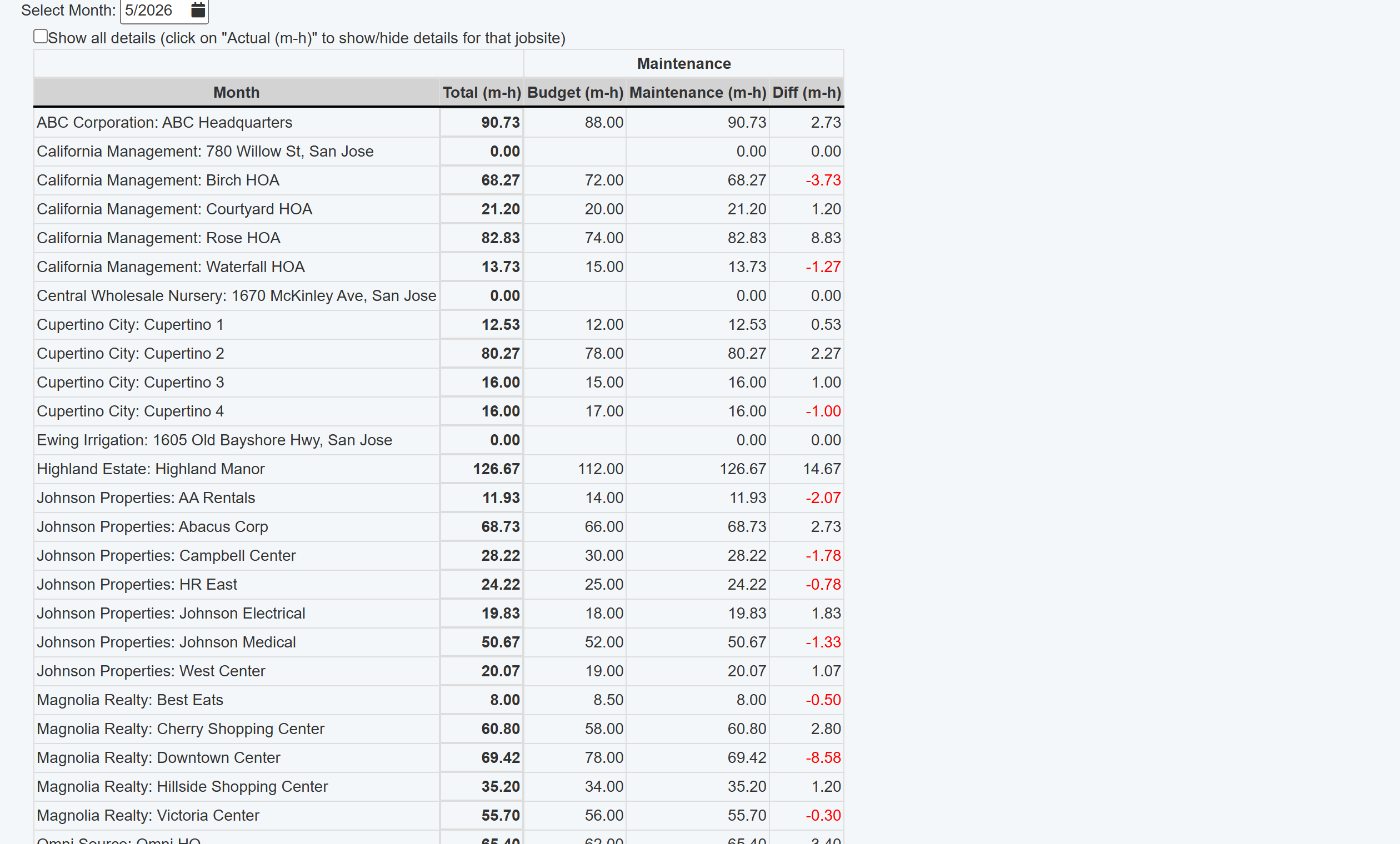
Reports expose bid-review signals
Budget-vs-actual labor reports show where jobsite time differs from the plan, helping owners adjust pricing, scope, route, or margin review.
Variance points to pricing review.
Estimated hours only improve future bids when they are compared to actual hours. The comparison should point owners toward the jobs that need pricing, scope, route, or margin changes.
Crews keep working the route while GPS jobsite time creates labor context without requiring clock-in and clock-out at every stop.
Labor Data Sources
Each data source makes the margin picture clearer
GPS can show crew time at jobsites without another field task. Timesheets can add employee-level man-hours. Estimated hours turn those actuals into bid variance that managers can act on.
GPS activity helps the office see how much crew time was spent at each jobsite without adding a field costing step.
When timesheets are used, the labor review can add employee-level man-hours for a more detailed jobsite labor picture.
With estimated or budgeted hours, the report can show where actual labor exceeded the bid so managers know what to change next time.