Irrigation records, maps, and service context in one place
Replace scattered spreadsheets, fading maps, and the memory of your top tech with one reliable system that every crew member can access, anywhere.
Centralize irrigation system knowledge
Keep timer locations, zones, backflows, water readings, settings, and repair context available to the office and field.
- Save Settings for the Next Technician
- Find Timer and Backflow Locations
- Record Irrigation Details in the Field
- Review Settings Before a Service Call
- Review Recorded Water Meter Readings
- Keep Irrigation Service History Accessible
Step 1: Centralize all your irrigation data
A technician leaving shouldn't mean losing years of jobsite knowledge. Our system acts as your company's permanent memory, storing every critical piece of irrigation data in one secure, accessible place.
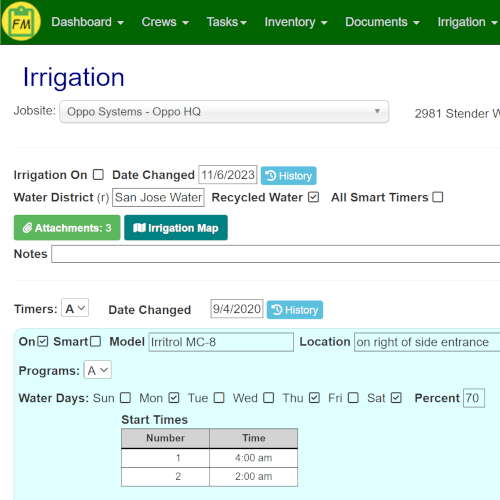
- Document Everything: Track timer locations, program settings, backflow locations, water restrictions, and more for every client.
- Reduce Spreadsheet Work: Capture water meter readings directly in the mobile app, creating a searchable history of water consumption.
- Accessible Service History: Answer client questions or troubleshoot issues faster with saved settings and water-use history.

Step 2: Create a visual playbook for every jobsite
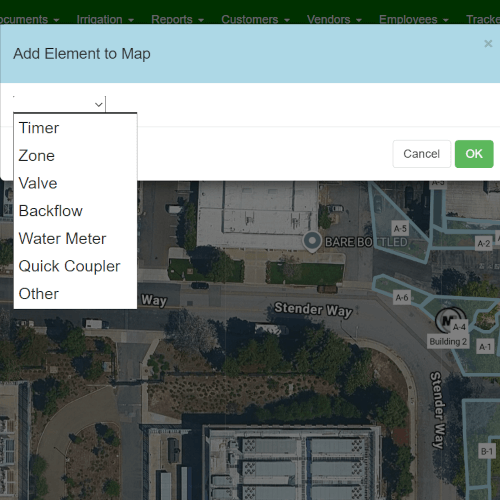
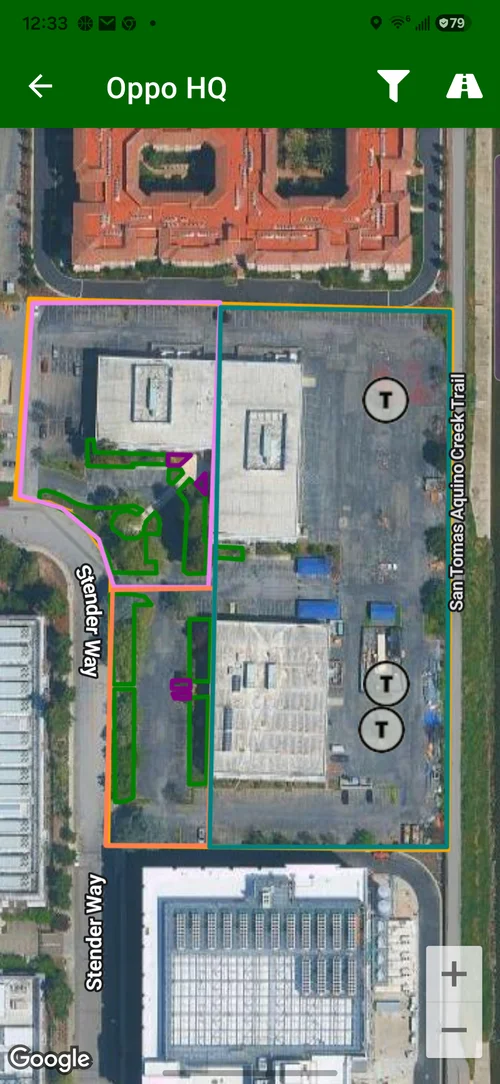
Give technicians a saved visual reference for complex irrigation layouts so timers, zones, valves, backflows, and water meters are easier to find in the field.
- Map Every Asset: Visually pinpoint the exact location of timers, zones, valves, backflows, and water meters on a satellite map.
- Give Crews Property Context: New hires can understand a property's irrigation layout from the saved map instead of relying only on memory or paper notes.
- Keep Jobsite Knowledge Accessible: Technicians can review saved map details before servicing a property.
Step 3: Connect irrigation context to daily work
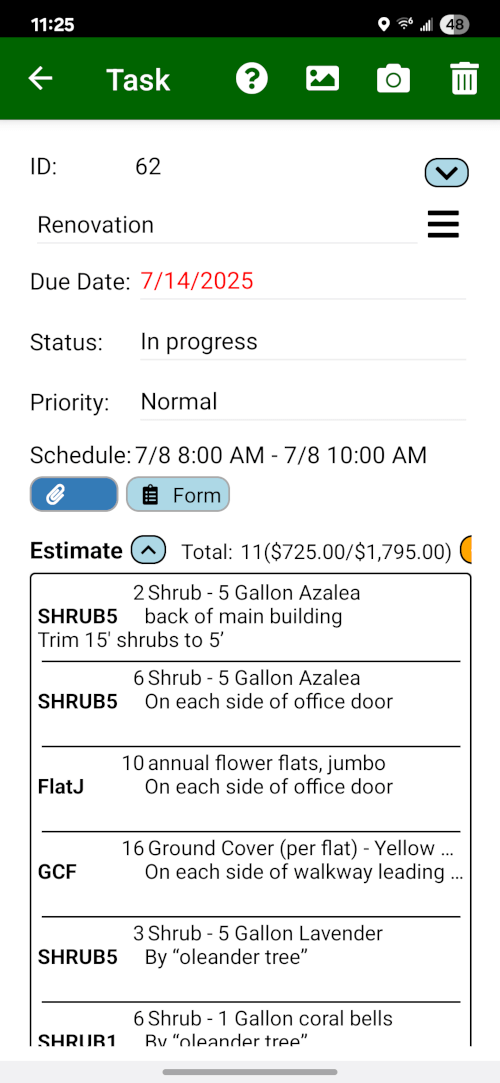
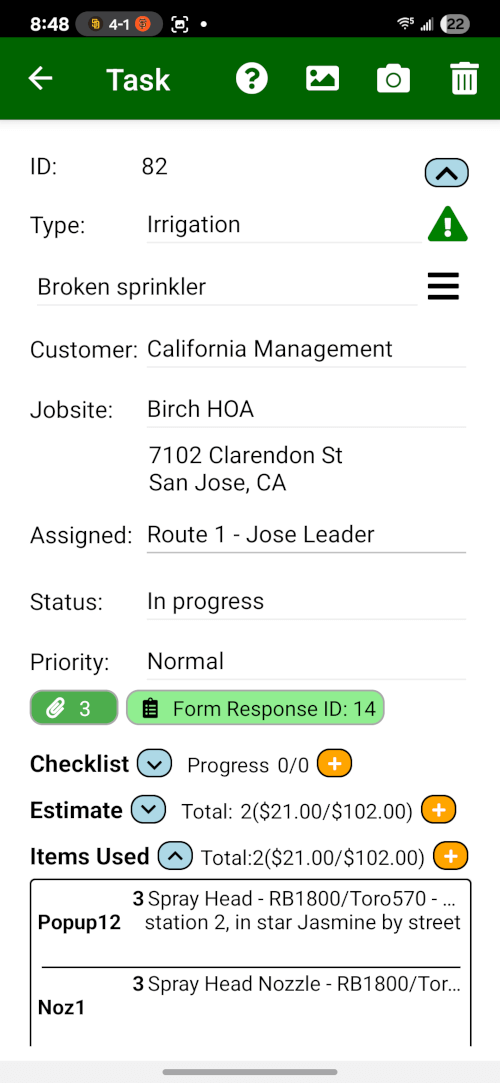
Field Service Cloud keeps irrigation repair context close to the daily work record. Field Assistant can show jobsite context, open tasks, station notes, repair parts, and estimate detail when crews are in the field.
- See the Full Picture: Techs see the jobsite, open task, station notes, repair sections, and materials tied to the same customer record.
- Update Repair Records: When a tech completes repair follow-up, they can update the task with notes, photos, parts, and labor detail.
- Hand Off Broader Follow-Up: For inspection-to-estimate repair extras, use the Irrigation Inspection & Repair Follow-Up Solution.
Want to see irrigation work stay connected?
Review irrigation maps, asset locations, settings, water readings, and repair task context.
Book a Live Walkthrough