Estimate tools for approved items, field notes, and open proposals
Keep estimate details, approved items, field notes, photos, and status in one review path so proposals are easier to check and act on.
Standardize estimate creation and tracking
Use approved items, bundles, photos, notes, and open-estimate status so proposals are easier to review.
- Build Estimates from Approved Items
- See Which Proposals Are Still Open
- Quote from Consistent Item Prices
- Keep Estimate Status Visible
- Show Scope and Totals by Section
- Prepare Approved Estimates for QuickBooks
Step 1: Build estimates from approved landscape items
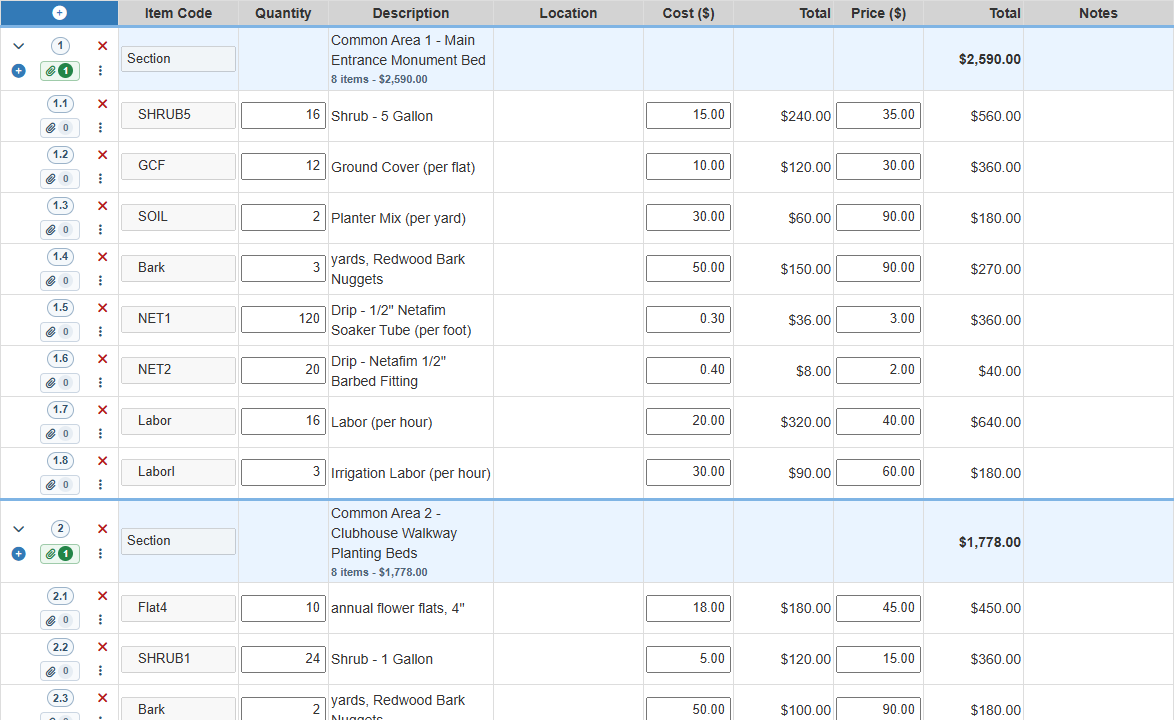
Inconsistent estimate lines make proposals harder to review. Field Service Cloud lets your team build estimates from approved plant, material, and labor items so managers can check pricing before the proposal goes out.
- Use approved items: Keep plants, materials, and labor rates consistent across proposals.
- Organize by section: Group enhancement or repair work by area so the office can review scope and totals clearly.
- Improve pricing consistency: Reduce guesswork by helping account managers quote from the same approved item structure.

Step 2: Capture key estimate details on-site
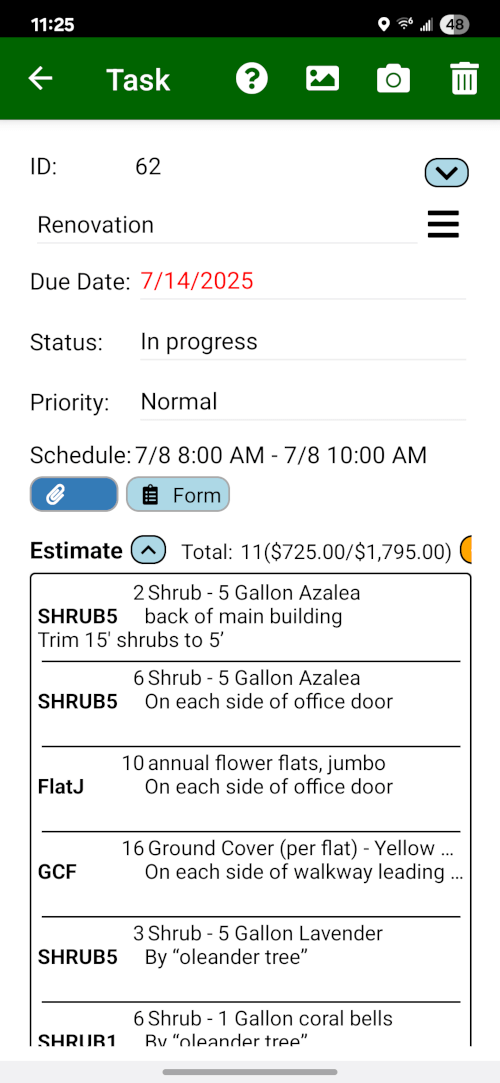
Fast, detailed proposals help account managers keep enhancement and repair work moving. Field Assistant replaces the clipboard so your team can capture key details, from materials to labor notes and site photos, right on the phone during the client walkthrough.
- Reduce Turnaround Time: Shorten the delay between the site visit and sending the proposal.
- Improve Estimate Detail: Use your standardized item list and add photos to keep captured data accurate and complete.
- Look Prepared and Professional: Build client confidence by using a modern, digital tool for on-site data capture instead of a notepad.
Step 3: Track open estimates and approved work
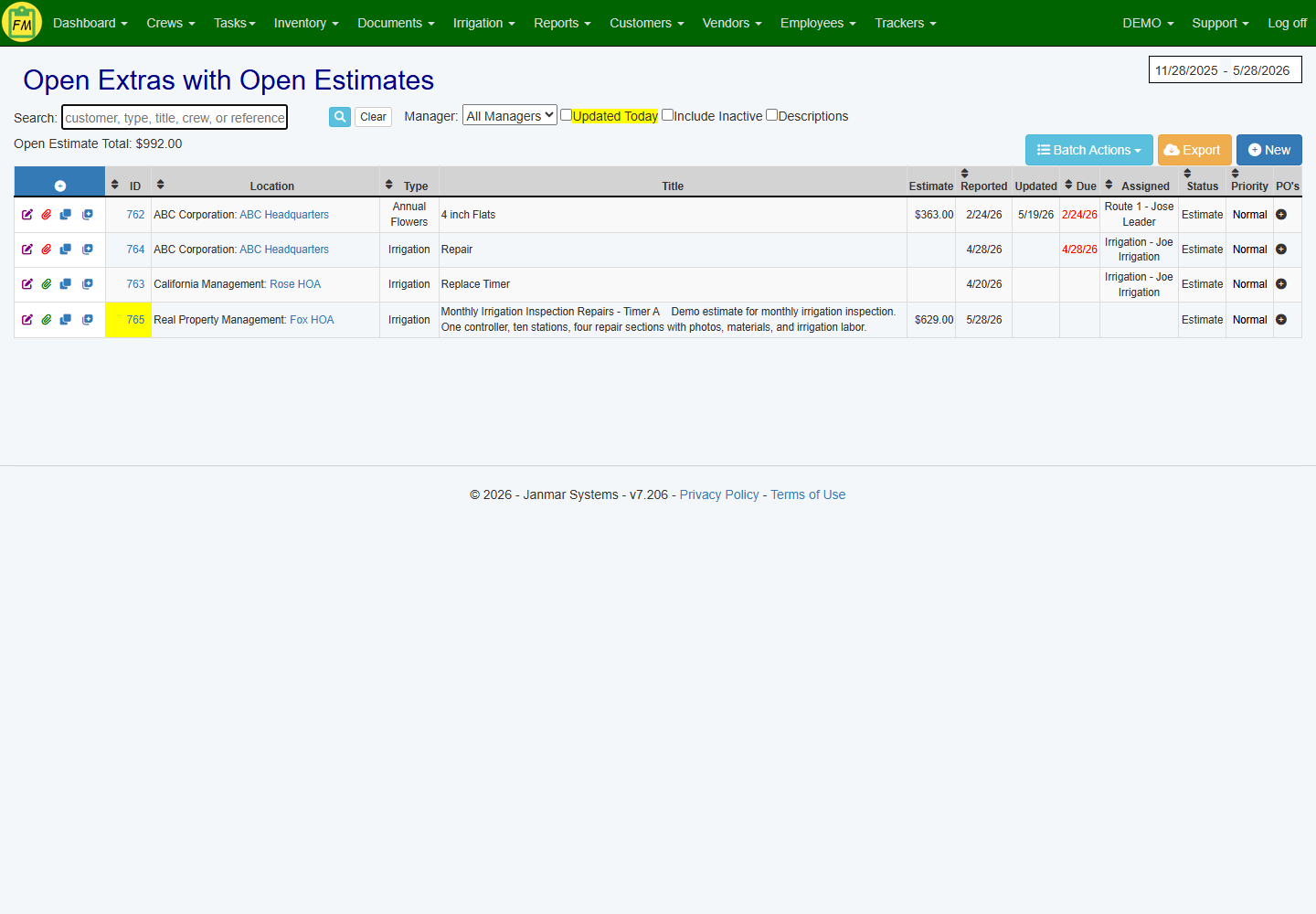
The open-estimate dashboard gives the office a reviewable list of proposals, statuses, jobsite context, and approved work ready for the next operational step.
- Review Open Estimates: See open, approved, and rejected estimates in one place with jobsite context.
- Convert Approved Work: Turn an approved estimate into scheduled work for crews, complete with materials and notes.
- Prepare QuickBooks Handoff: Prepare supported QuickBooks estimates where configured without retyping the same proposal details.
Want to see estimating tied to real field records?
Review how Field Service Cloud supports item catalogs, field estimate capture, status review, and approved-work handoff.
Book a Live Walkthrough