Enhancement requests and approved site extras stay visible from request through completion and invoice-ready review.
Turn enhancement requests into billable proof
Track the request, site visit, before photos, field estimate, customer approval, crew completion, actual materials, after photos, and invoice review without rebuilding the story from texts and paper.
Use the walkthrough to map this service example to your current crews, records, and review process.

Owners, account managers, and office managers who want enhancement requests and other site extras captured, approved, completed, and billed without losing the details.
Keep enhancement work moving from request to invoice
Enhancement extras are easier to sell, complete, and bill when the request, site photos, estimate, approval, actual materials, crew updates, and invoice detail stay with the job. Field Service Cloud keeps the story together so account managers can explain the work and the office can move completed extras toward invoice review. Irrigation repairs are also billable extras for many landscape companies; the irrigation inspection and repair solution shows that specialized path.
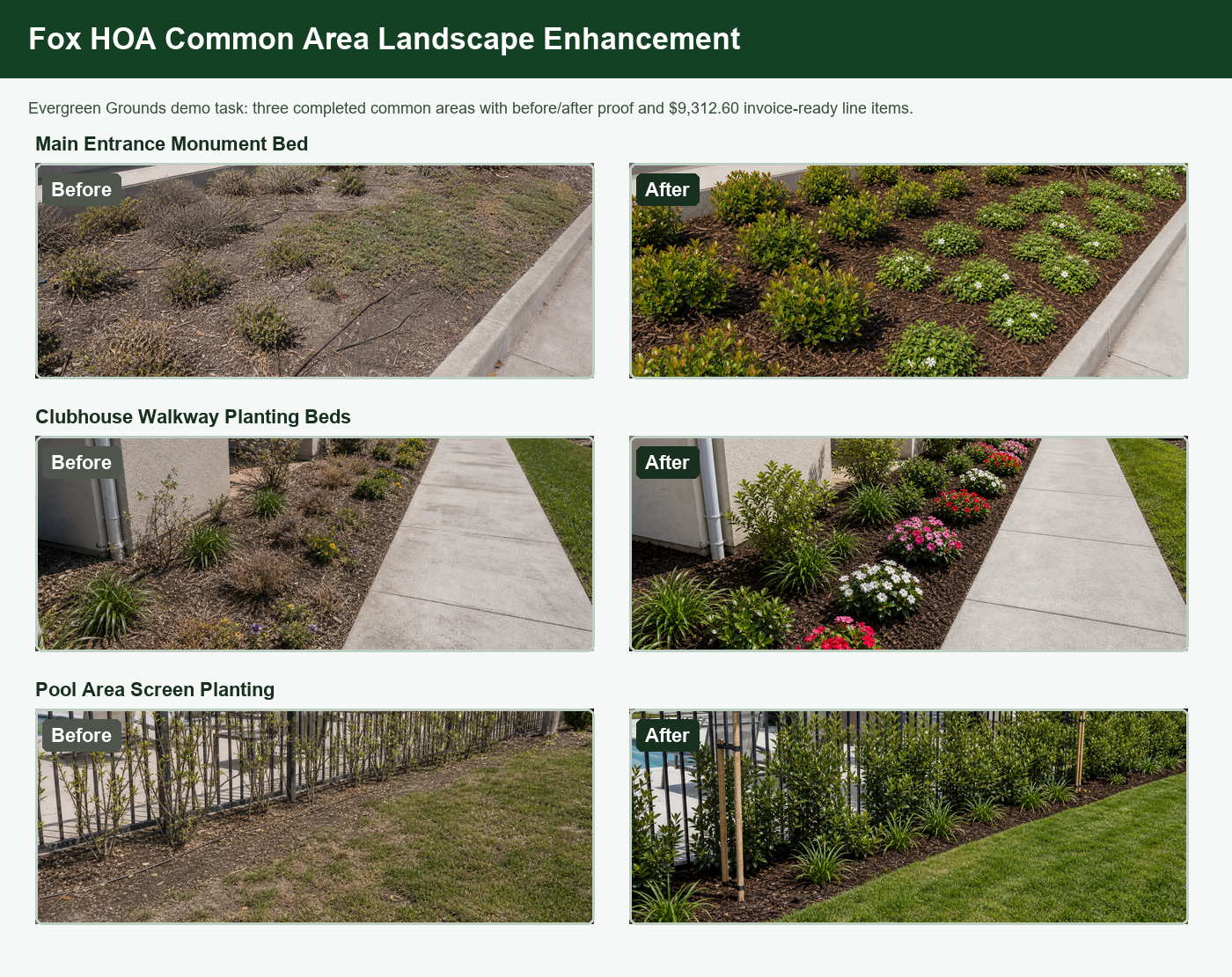
Before-and-after photos, materials, labor, and section totals explain what was requested, approved, completed, and ready to bill.
Completed enhancement extras move toward billing with the estimate, field notes, photos, actual materials, and crew updates already in place.
How It Works
From enhancement request to exported invoice
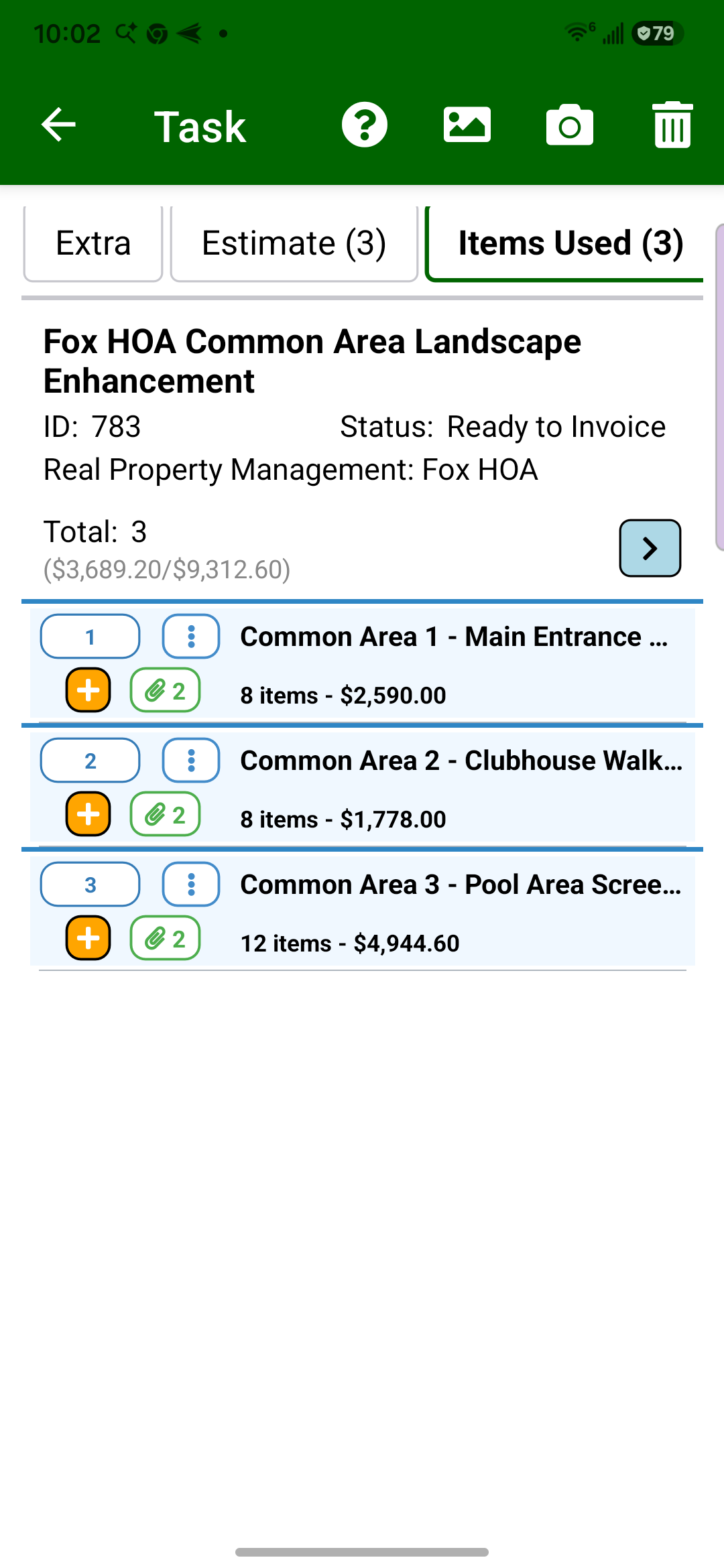
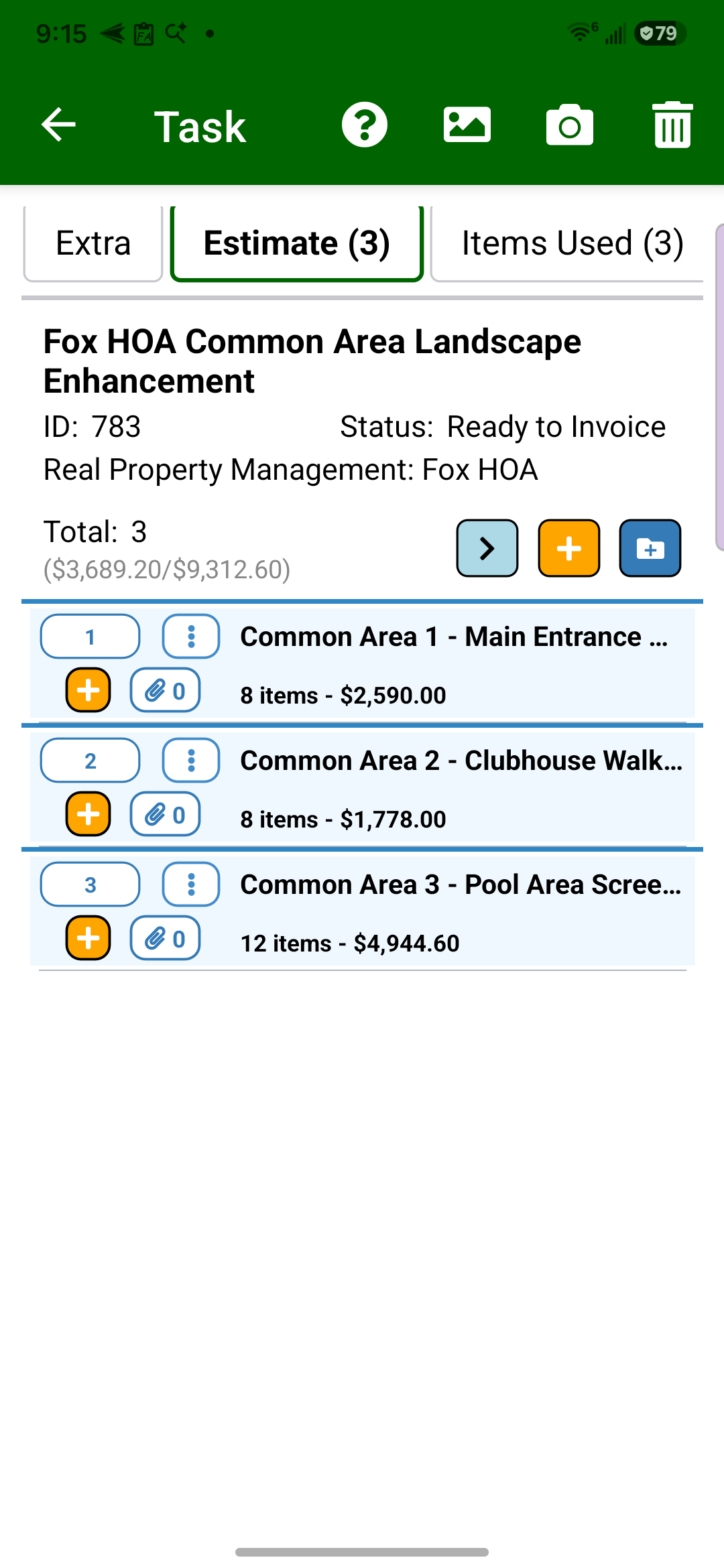
The Evergreen Grounds demo follows a Fox HOA common-area landscape enhancement as one billable-extra example: an account manager prepares the field estimate, the office reviews the scope, the approved estimate guides the crew, actual items used are recorded, after photos are added, and the office exports a $9,312.60 Word invoice.
1
Create the estimate from the site visit
The account manager can capture the requested extra work from the field, including sectioned scope, quantities, notes, and the photos needed to explain the estimate.
The request becomes an estimate.
2
Review the estimate before approval
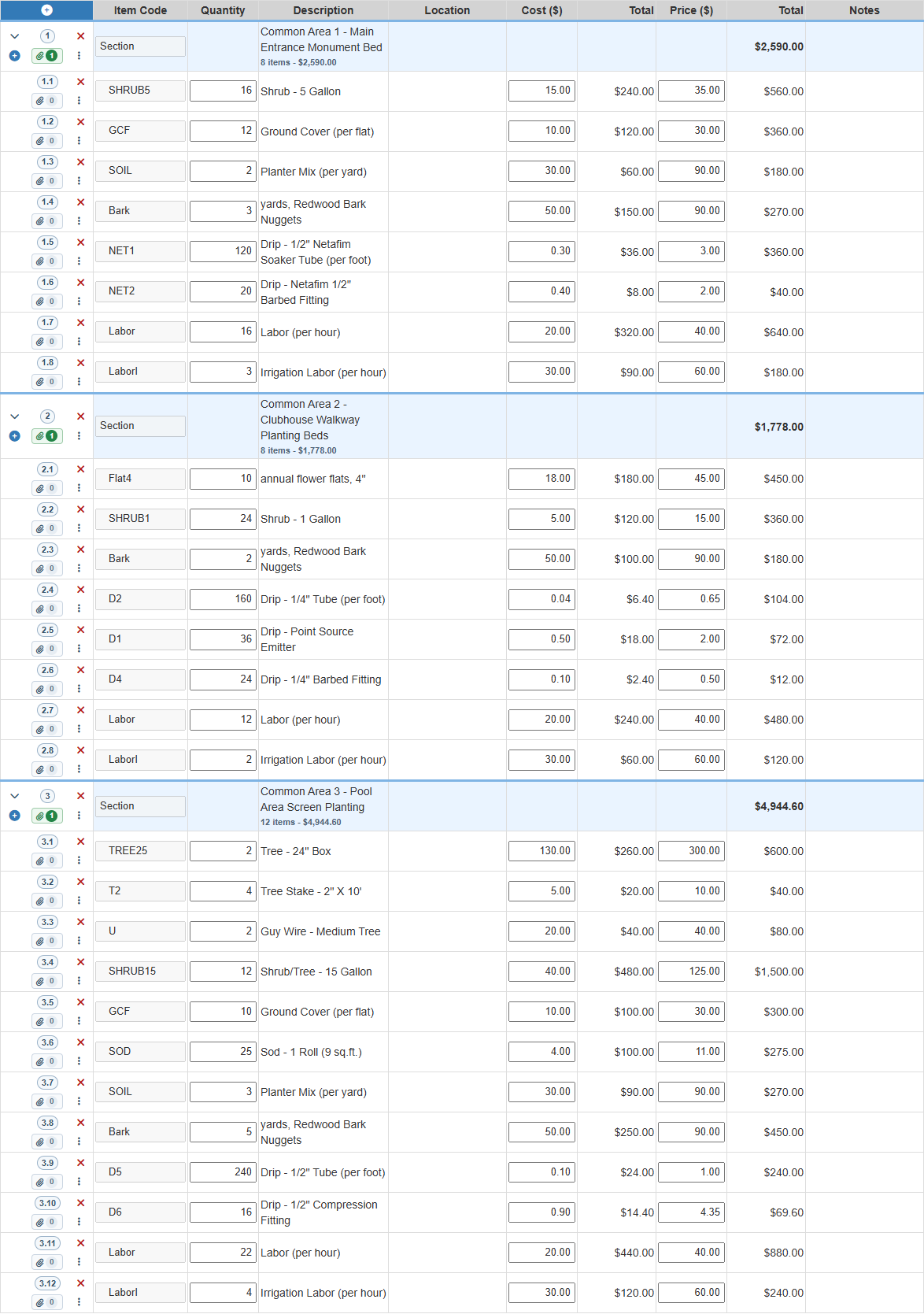
Field Manager gives the office the sectioned estimate detail, quantities, labor, pricing, and totals so managers can adjust the proposal before it goes to the customer.
The office reviews the proposal.
3
Record materials used in Field Assistant
After approval, the crew can start from the approved estimate lines, copy them into items used, and update actual quantities while the work is still fresh in the field.
Crews record actuals in the field.
4
Add before-and-after proof by section
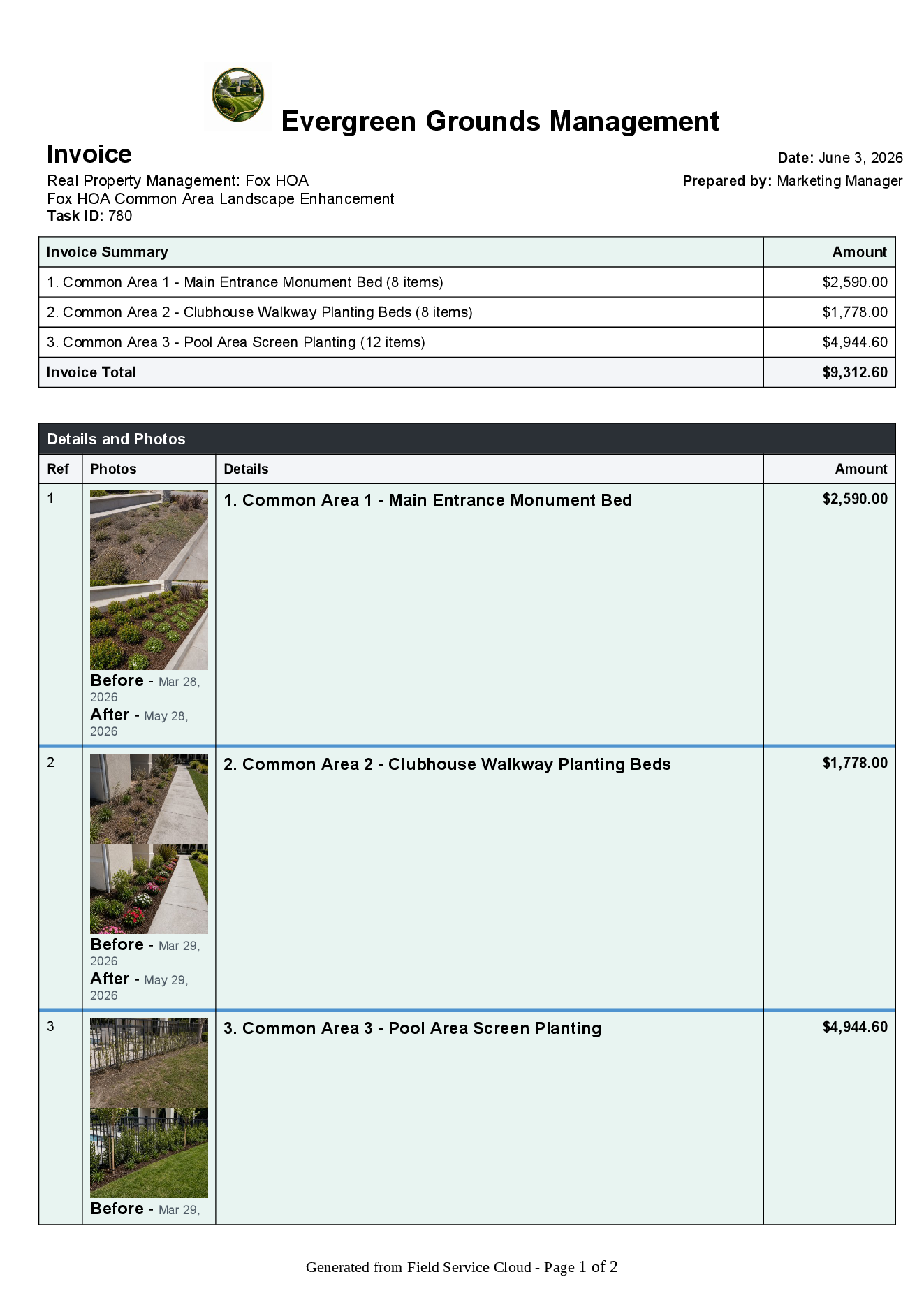
The Fox HOA enhancement shows the entrance, clubhouse walkway, and pool-area planting sections with before-and-after photos so the customer can see what changed.
Photos explain the work.
5
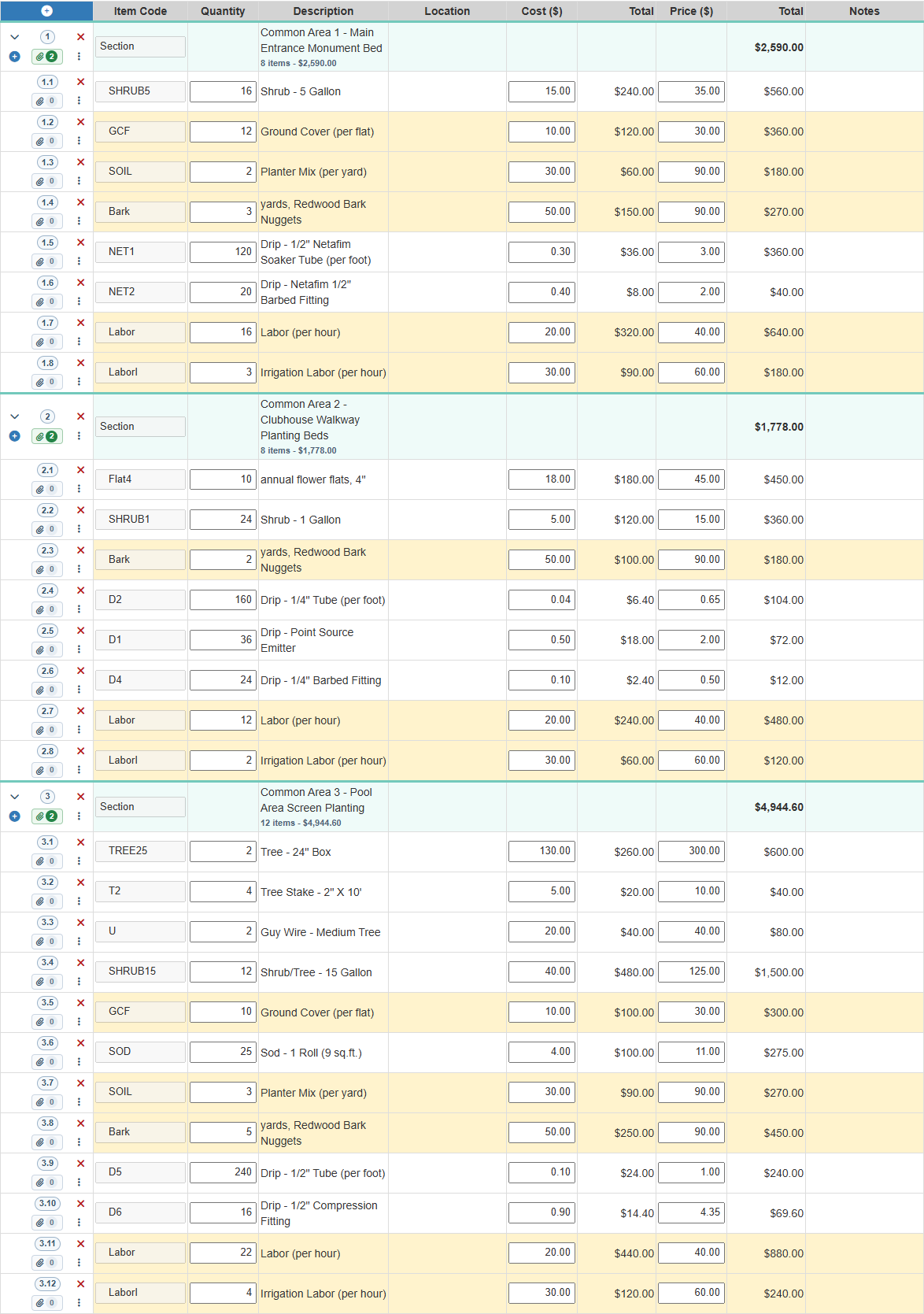
Review actual materials and labor
Field Manager carries the crew-entered quantities, costs, prices, labor, and section totals into office review so the invoice detail can be checked before it leaves the office.
The office checks invoice detail.
6
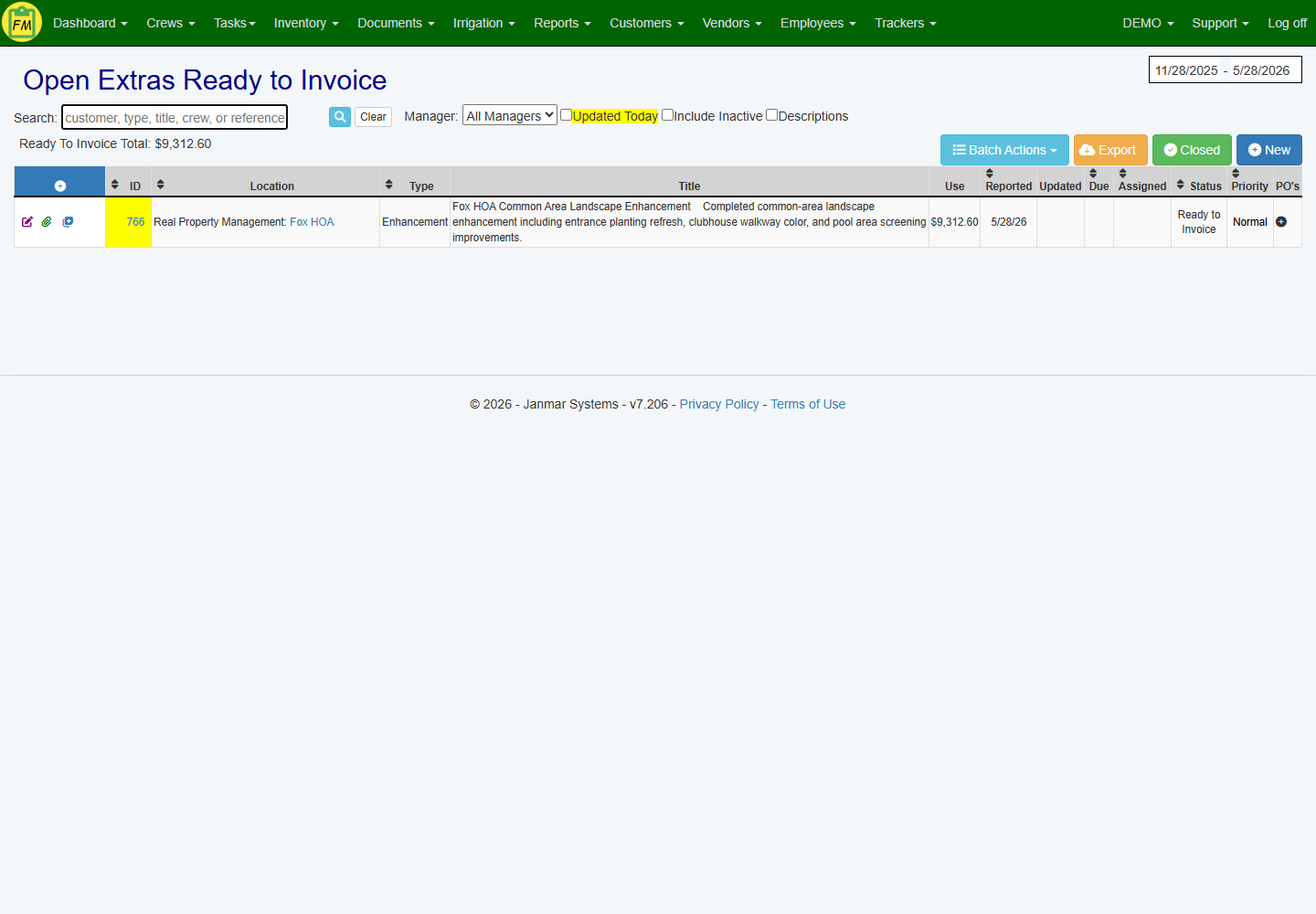
Review completed extras before invoicing
The office sees completed extra work ready for invoice review instead of trying to reconstruct verbal updates, texts, or paper notes after the crew leaves.
Completed work becomes billable.
7
Export a customer-ready Word invoice
The final invoice export includes the Evergreen Grounds logo, section totals, before-and-after photos, quantities, rates, and the $9,312.60 invoice total.
Invoice proof is ready to send.
This page shows one major billable-extra path: enhancement and site extra work. Irrigation repairs are also billable extras for many landscape companies, but they need a different proof path with irrigation maps, station notes, repair parts, and customer-ready estimates. See the Irrigation Inspection & Repair Follow-Up Solution for that workflow.