Reports that answer your management questions
Which properties need checking? Where did the crew hours go? Review service history, compare recorded labor and find work that needs follow-up.
Review the work without reconstructing it
Use reports to answer owner and operations questions from the same records crews and office staff already created.
- Find Property Service History
- Check Recorded Work and Follow-Up
- Review Customer Requests
- Compare Recorded Jobsite Crew-Hours
- Review Crew Activity
- Find Exceptions That Need Checking
Review service history without rebuilding it
When customers or managers ask what happened, reports help the office review service history, route activity, notes, and exceptions from connected records.
- Review Service Delivery: Use Route Compliance reports to compare scheduled properties with recorded crew activity.
- Stay Ahead of Issues: Monitor open and past-due tasks by client so service requests that need attention stay visible.
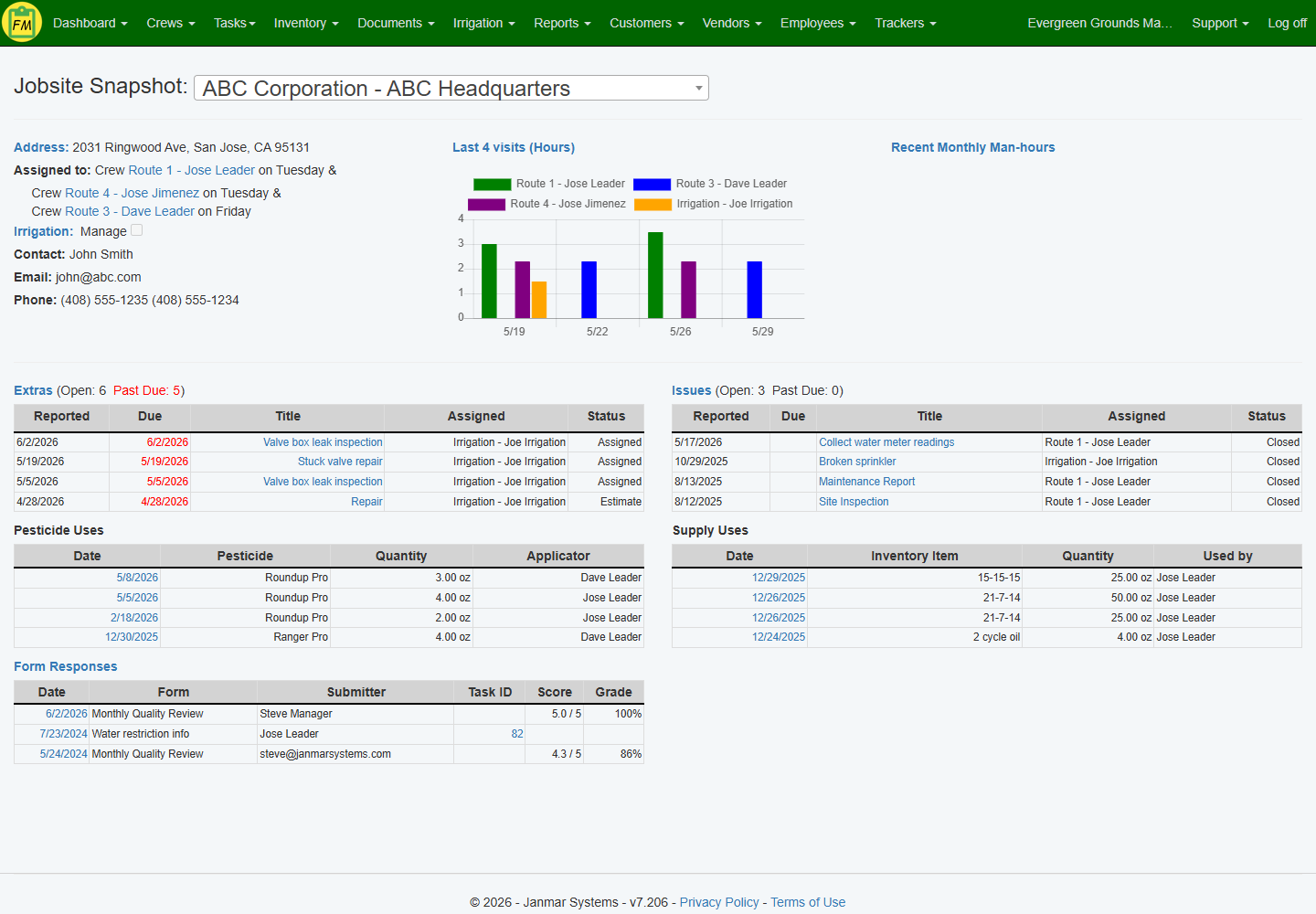
- Review the jobsite record: Jobsite Snapshot shows recent visits, open follow-up, pesticide uses, supply uses, and form responses for a selected property.

Review man-hours by jobsite
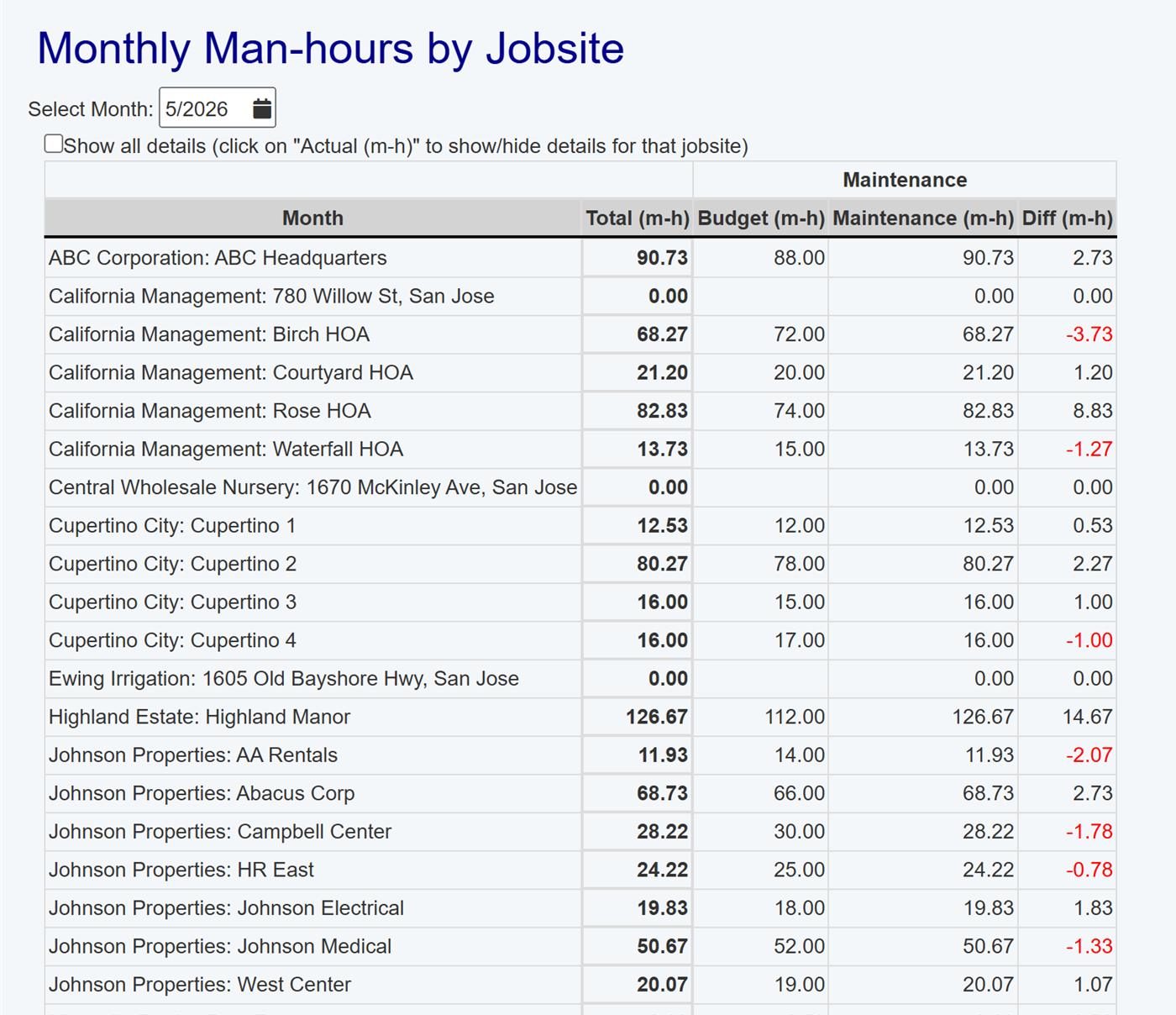
Man-hour and jobsite reports help owners compare actual activity with expectations and find the accounts that need a closer operational review.
- Track Man-Hours by Jobsite: Analyze monthly man-hours by property so review starts from the same recorded activity.
- Compare Expected and Actual Activity: Use report output to find outliers before starting a pricing, route, or scope conversation.
Review daily stops and crew-hour context
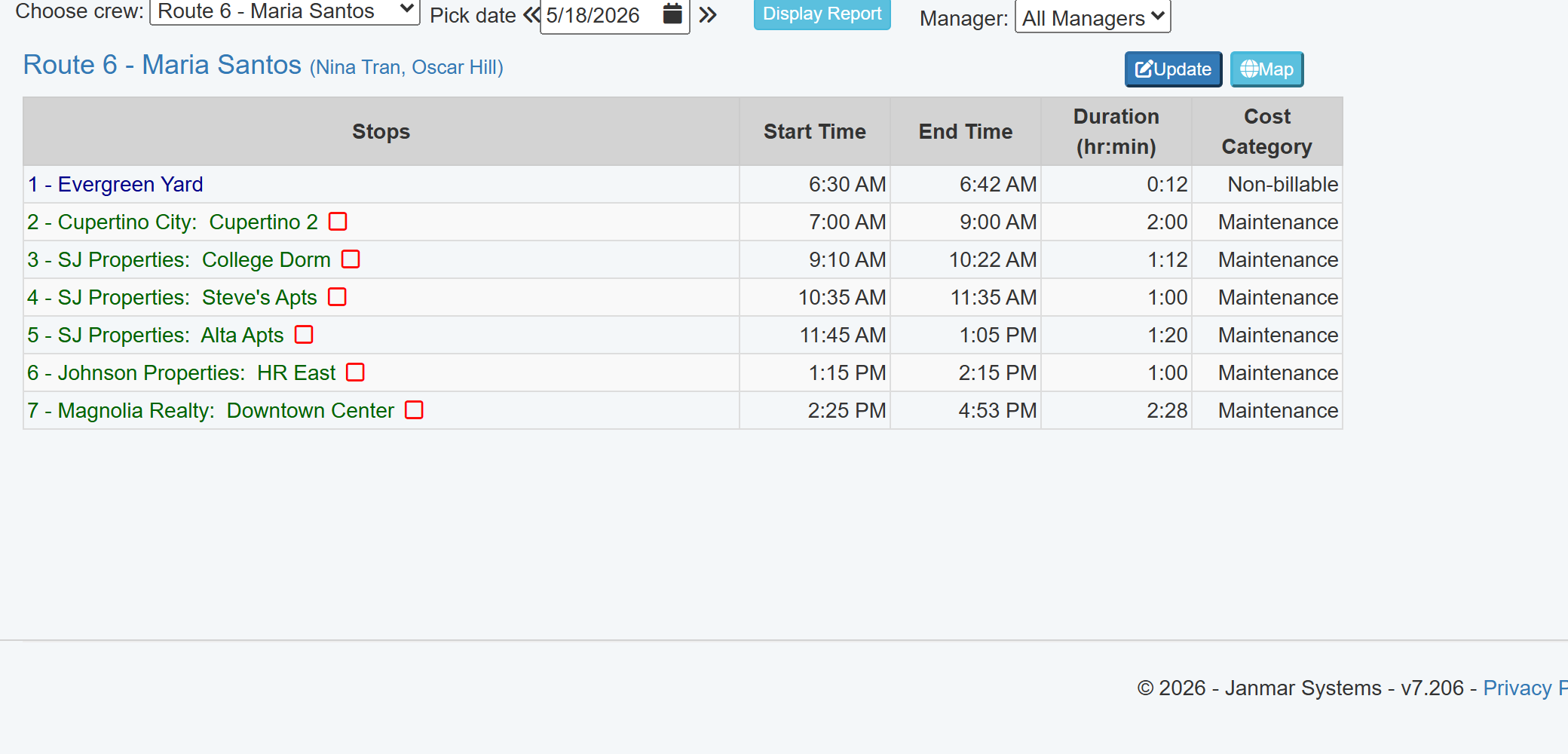
Use recorded route stops and jobsite durations to review what crews actually did, answer customer questions, and decide where route or account follow-up is needed.
- See the recorded route: Daily Stops show each jobsite visit with start, end, duration, and cost category detail.
- Find accounts that need review: Compare recorded stops and jobsite hours so managers can investigate exceptions with context.
- Connect reports to decisions: Use service, labor, and route activity to guide account, billing, and follow-up review.
Want to see reports that answer management questions?
Walk through the reports owners and managers use to review service history, labor, records, and exceptions.
Book a Live Walkthrough