Materials used tracking for field-captured parts and supplies
Give crews a simple way to record billable materials so the office can review parts and supplies before billing handoff.
Keep item selection and material records clean
Give crews a simple way to record materials and give the office a cleaner review before the accounting handoff.
- Capture Billable Materials
- Check Quantities and Prices Before Billing
- Record Used Items in Field Assistant
- Review Invoice-Ready Records
- Keep Item Pricing Consistent
- Prepare Material Details for QuickBooks
Step 1: Keep materials, labor, and totals reviewable
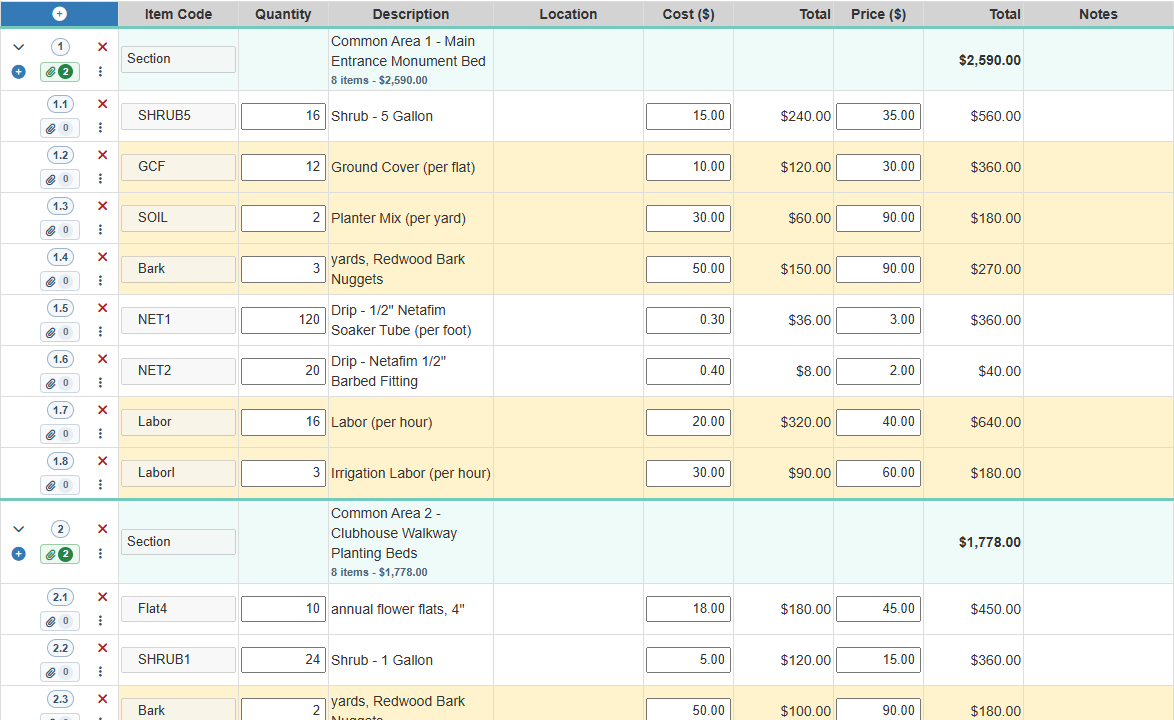
Cleaner invoice review starts with clear field records. Field Service Cloud keeps parts, plants, supplies, and labor lines tied to the work so managers can review billable details before accounting handoff.
- Review billable materials: See plant, supply, and irrigation part quantities with pricing context.
- Keep labor visible: Include labor lines with the same work record instead of chasing separate notes.
- Support the accounting handoff: Give the office cleaner detail before billing review.

Step 2: Capture billable parts while crews are on site
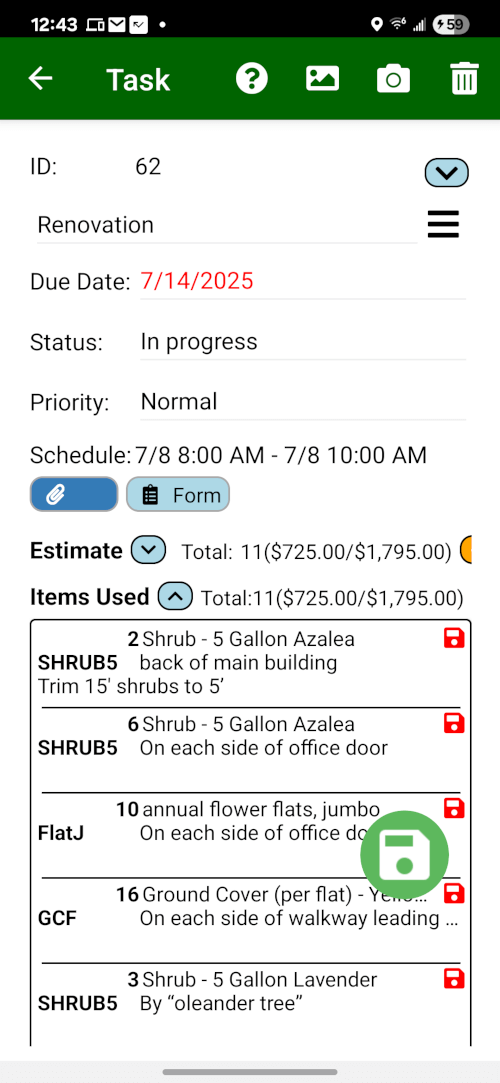
The Field Assistant app gives crews a quick way to log parts used on extra work while the details are still fresh.
- Capture Parts in the Field: Replace memory-based entry with a simple, digital form.
- Find Items Instantly: Crews can browse by category, use bundles, or quickly search your entire catalog to find the right part.
- Document with Photos: Improve billing transparency by enabling crews to attach photos of the materials used or the completed repair.
Step 3: Review invoice-ready material records
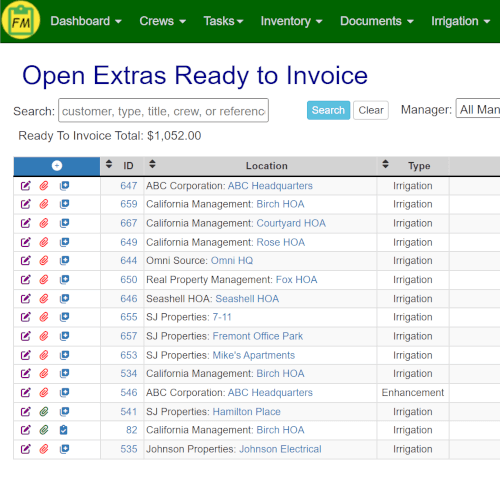
Material records captured by crews flow into an office review list so completed billable work is less likely to be missed before the accounting handoff.
- Find Unreviewed Material Records: Get a clear view of completed work orders with tracked materials that still need office review.
- Review Before You Bill: Quickly review the list of materials used on any job before creating the final invoice.
- Prepare the Accounting Handoff: Send reviewed line items to QuickBooks where your plan and configuration support it.
Want to see materials captured before billing?
Review how crews log parts and materials, then how the office checks invoice-ready work.
Book a Live Walkthrough