Scheduling software for routes, dispatch, and daily changes
Replace whiteboards and disconnected route notes with a visual schedule that keeps office staff and crews working from the same plan.
Plan routes and dispatch work from one schedule
Build maintenance routes, add one-off work, and keep crews aligned from the same schedule.
- Reduce drive time: Review mapped routes and stop order before crews leave the yard.
- Keep crews productive: Send route notes, tasks, and jobsite context to Field Assistant instead of chasing updates by phone.
- Reduce scheduling confusion: Keep route changes, one-off work, and recurring maintenance visible from one calendar.
- Improve service reliability: Give the office a clearer view of what is scheduled, skipped, rescheduled, or still open.
- Keep office and field in sync: Let crews work from the current plan while managers review service coverage.
- Keep daily routes visible: Help operations managers answer customer and crew questions from the schedule record.
Build and adjust maintenance routes
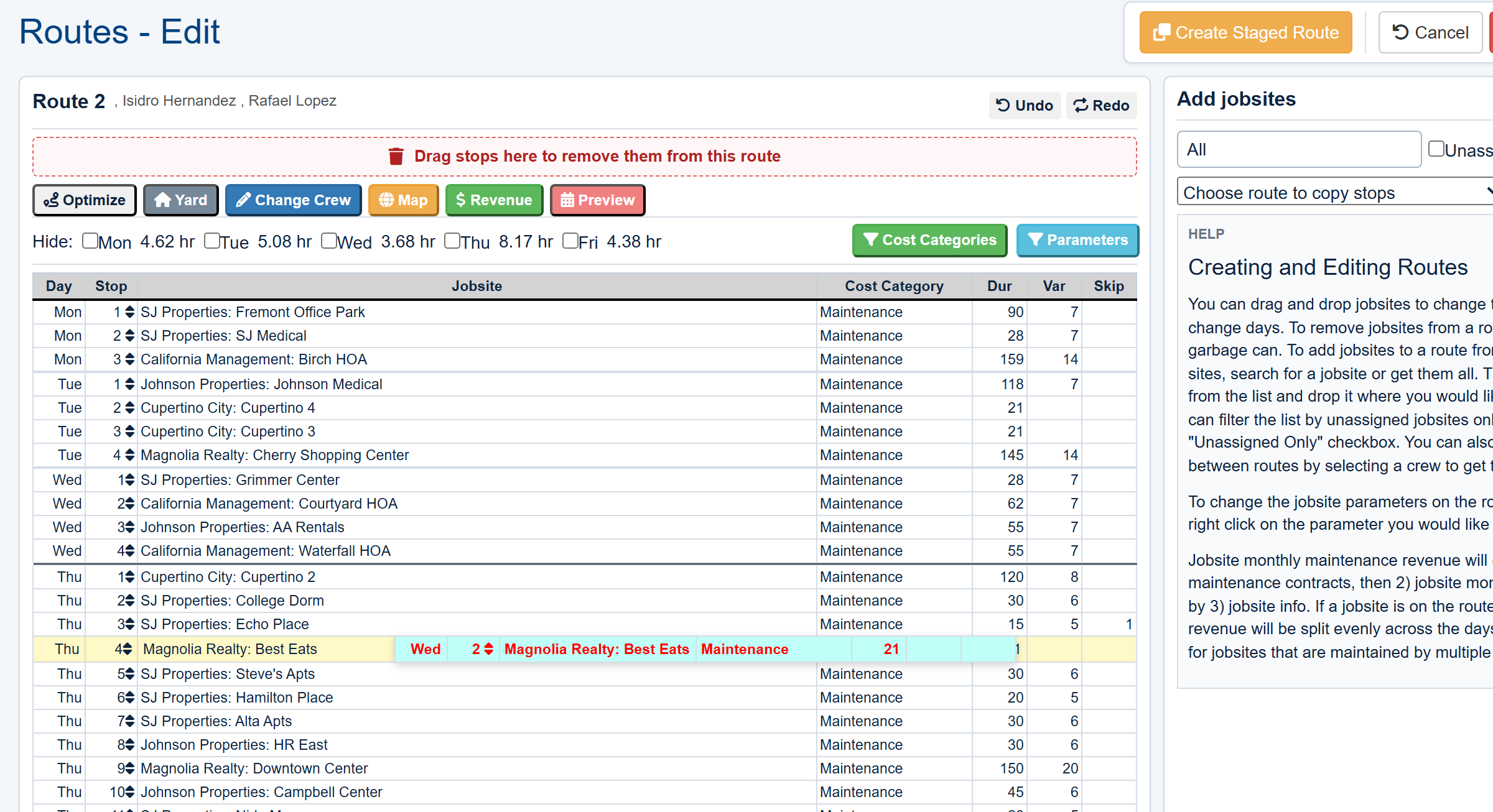
Use drag-and-drop scheduling to build, modify, and balance maintenance routes visually. Optimize stop order when needed and keep the current plan visible to the office and crews.
- Build Routes in Seconds: Drag and drop jobs to create and adjust your weekly maintenance schedules with ease.
- Optimize for Efficiency: Automatically calculate the most efficient travel path for any daily route to save on fuel and labor.
- Compare Planned and Actual Work: The schedule can be reviewed beside GPS data to see completed visits, late stops, and service coverage.

Schedule extra work without disrupting maintenance routes
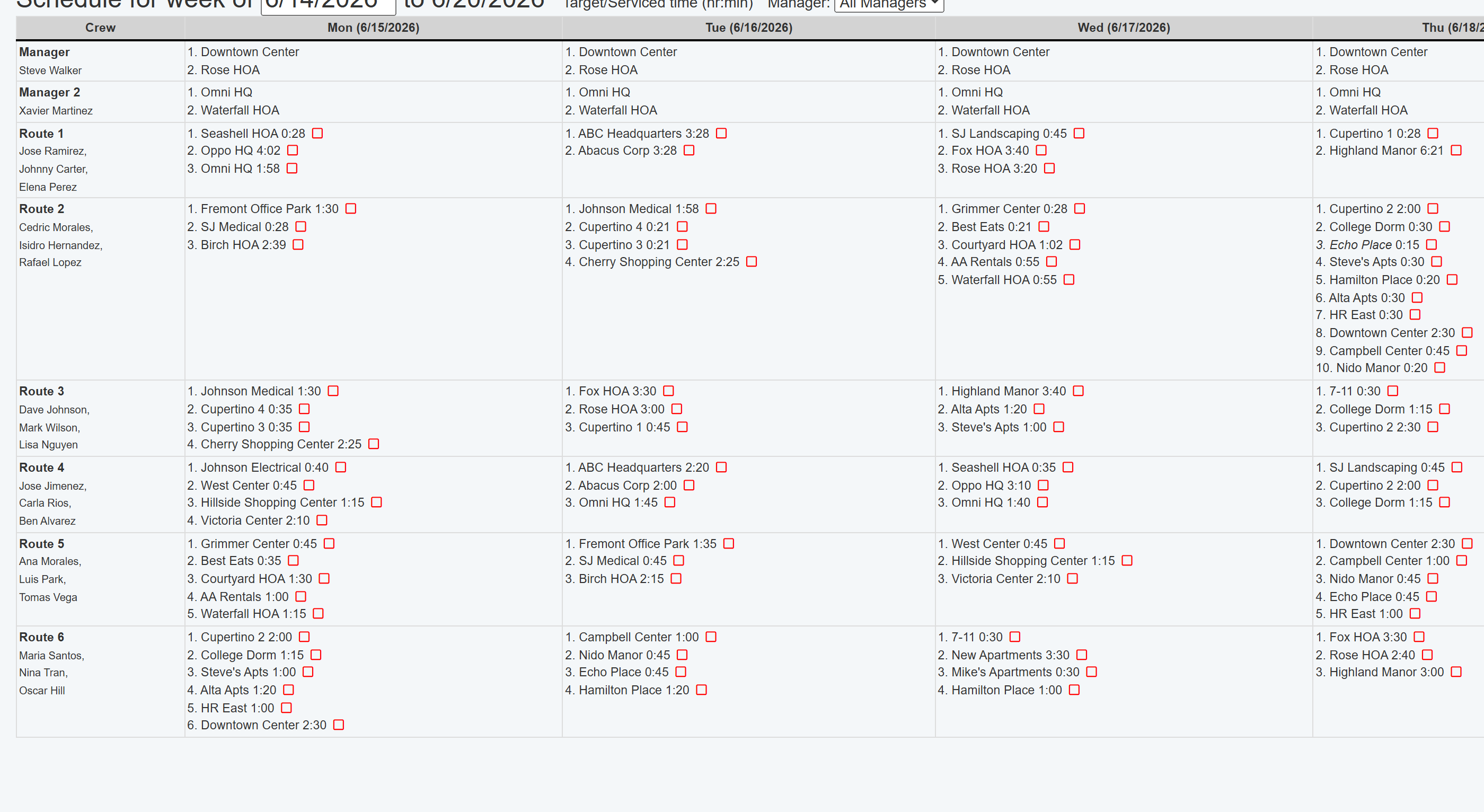
Keep enhancement, repair, pesticide, and other one-off work visible on a centralized calendar so the office can schedule it without disrupting recurring maintenance routes.
- Manage One-Off Jobs: Schedule non-recurring work while keeping recurring maintenance routes visible.
- Assign and Dispatch: Assign new jobs to a crew and send the current work details to Field Assistant.
- Centralize Your Calendar: Review recurring routes, one-off jobs, crew assignments, and schedule gaps on one calendar.
Bridge the gap between office and field
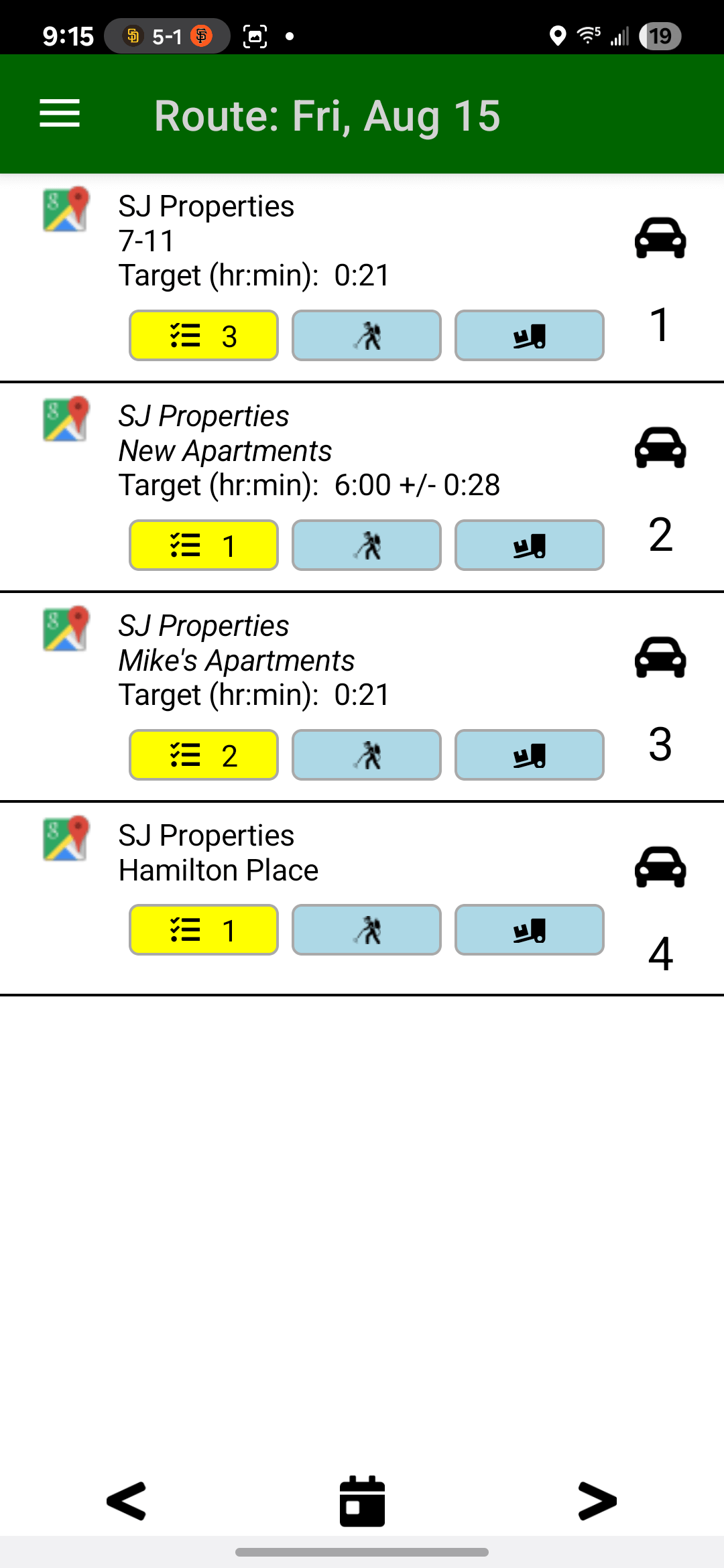
Your schedule is only as good as its execution. The Field Assistant mobile app puts the live schedule directly into your crews' hands, eliminating confusion and frantic phone calls.
- Current Route Details: Office schedule changes are sent to crews' mobile devices so teams work from the latest route plan.
- Always Accessible: Schedules are available on the mobile app even when crews are in areas with no cellular service.
- More Than a Schedule: Crews get driving directions, jobsite notes, task lists, and safety documents for every stop.
Want to see how scheduling works for your routes?
Book a focused walkthrough around route planning, dispatch, and keeping crews aligned before the day starts.
Book a Live Walkthrough