Recurring mowing visits can be reviewed from completion records instead of month-end memory.
Turn completed mowing visits into billing-ready review
Field Service Cloud keeps per-service contract prices, route completion, skipped visits, and accounting handoff connected so the office can review recurring mowing work before invoices go out.
Use the walkthrough to map this service example to your current crews, records, and review process.

Owners and office managers who bill recurring mowing by completed service visits.
Bill per-service mowing from completed visit evidence
Per-service mowing is easier to bill cleanly when each completed or skipped visit stays tied to the jobsite contract price. The office can review what was serviced, what was missed, and what is ready for accounting before invoices leave.
The office can see which visits need billing, follow-up, or correction before invoices go out.
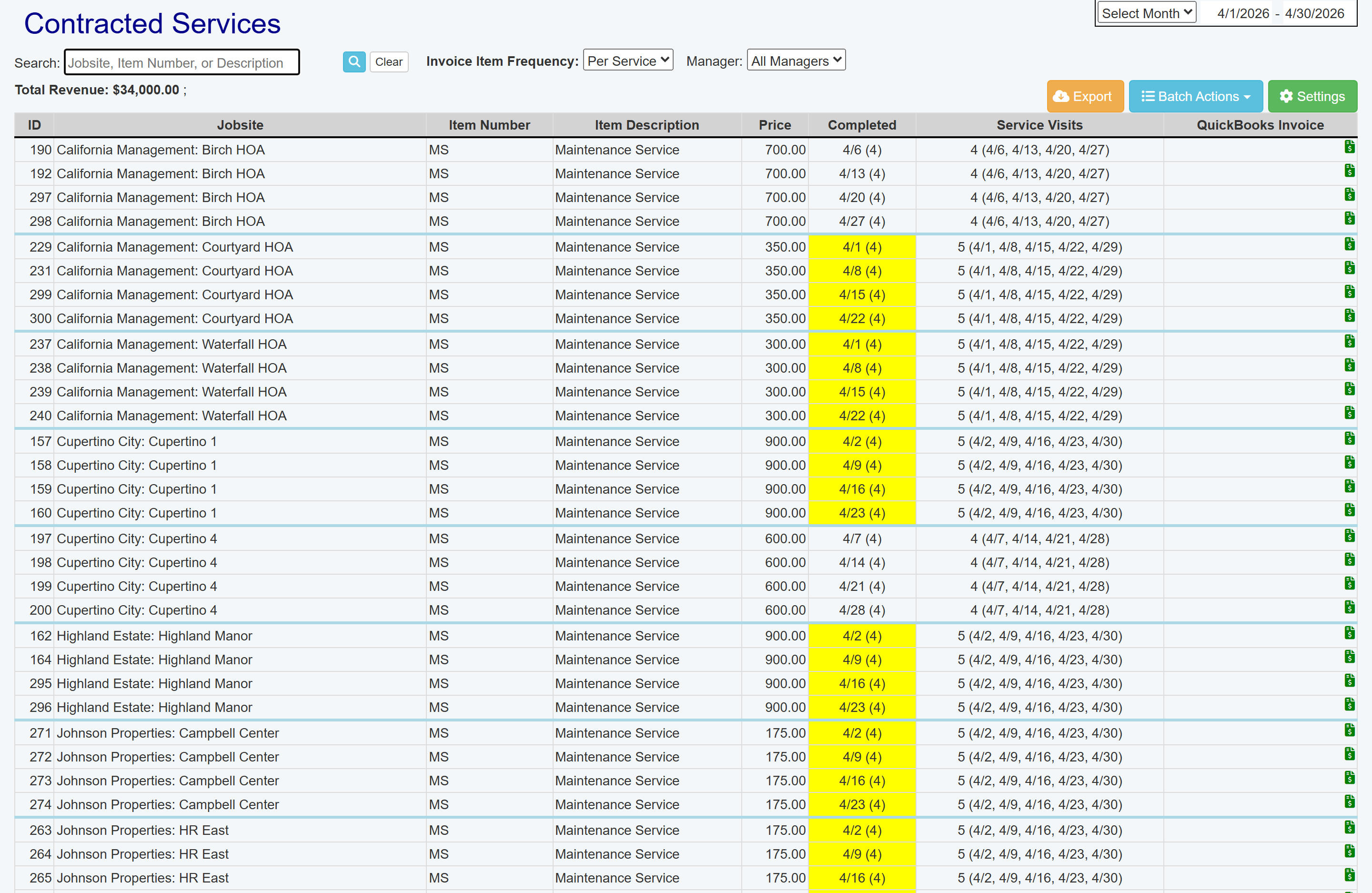
Contracted services keep jobsite service lines and prices visible before billing handoff.
How It Works
From contract pricing to completed-service billing review
Per-service mowing contracts, route completion checks, skipped-visit visibility, and Contracted Services review stay connected. Crews work from Field Assistant, and the office reviews completed visits before accounting handoff.
1
Start with per-service contract pricing
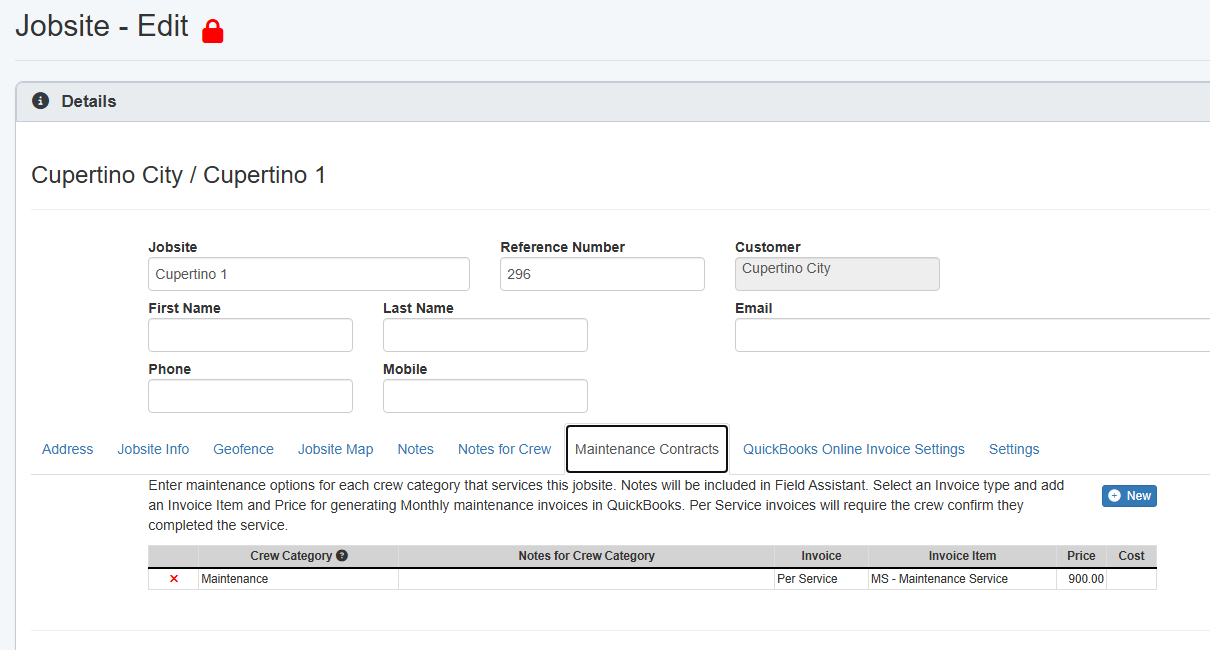
The jobsite Maintenance Contracts tab keeps the mowing service item, per-service invoice frequency, and price in the record before the crew services the site.
Per-service price is set on the jobsite.
2
Crews confirm each service visit
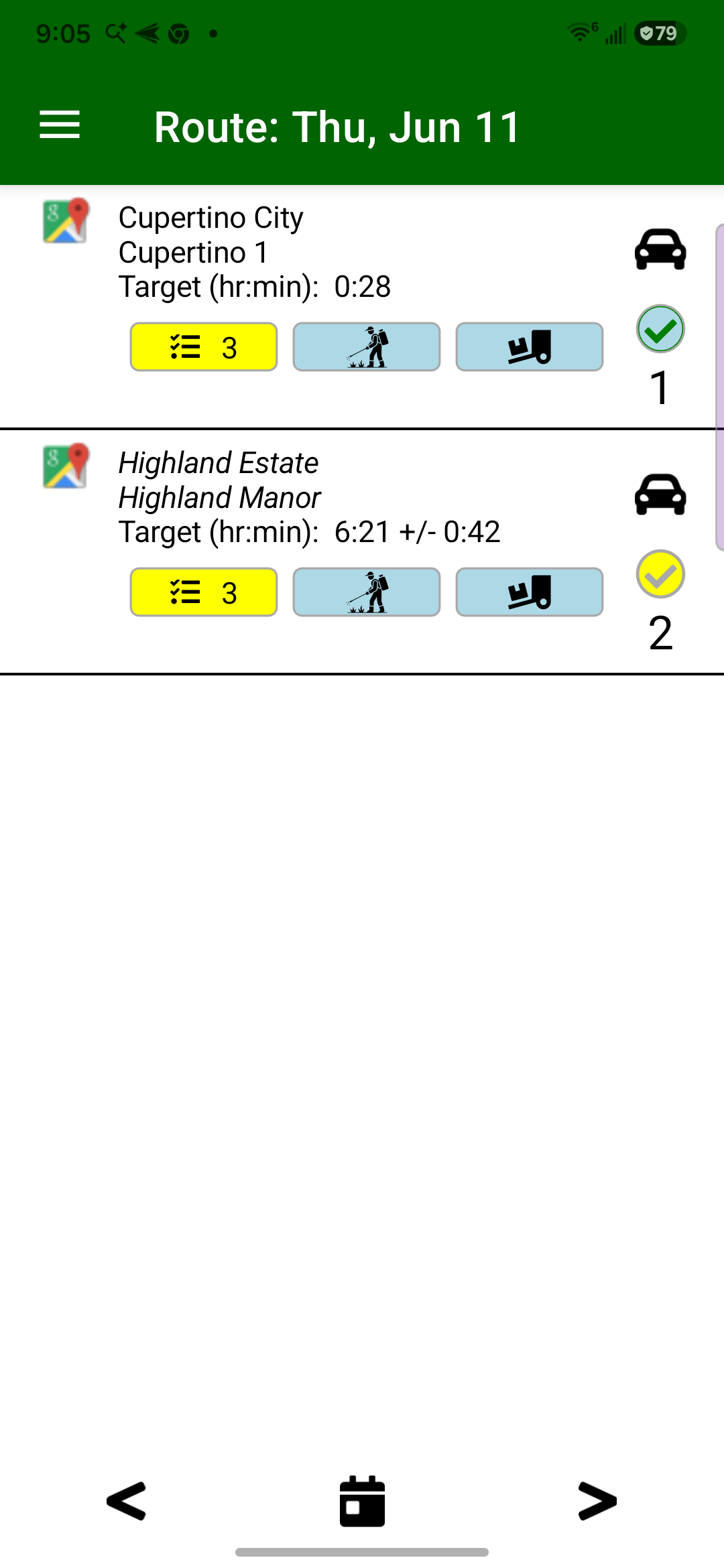
Crew leaders work from the route list and mark recurring mowing stops complete as they service them, creating the completion evidence the office reviews.
Completed stops start the billing record.
3
Review completed and skipped visits
Contracted Services shows per-service mowing prices, completed dates, service visits, skipped work, and invoice status in one office review.
The office reviews before billing.
4
Prepare the QuickBooks handoff
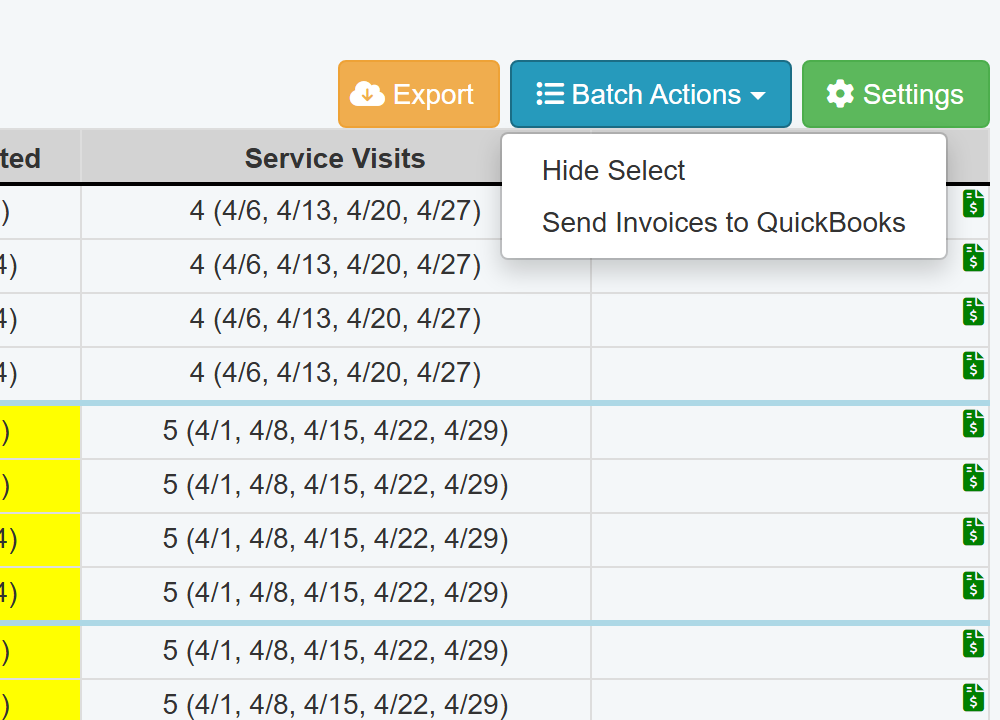
When QuickBooks Online is configured, Batch Actions lets the office select completed services and send reviewed invoices from the billing review screen.
Reviewed visits move to accounting.